
StoreOS RMS Ultra
The till knows how many portions the kitchen can still make
Every menu item carries a recipe, so selling a dish takes exactly its ingredients out of stock. Food cost and profit stop being a guess and start being a calculation.
- ✓Recipe-driven stock deduction, so COGS and food cost are real numbers
- ✓The POS greys out a dish the moment its ingredients run out
- ✓Dhaka time in the database — an 11pm bill lands on today's takings
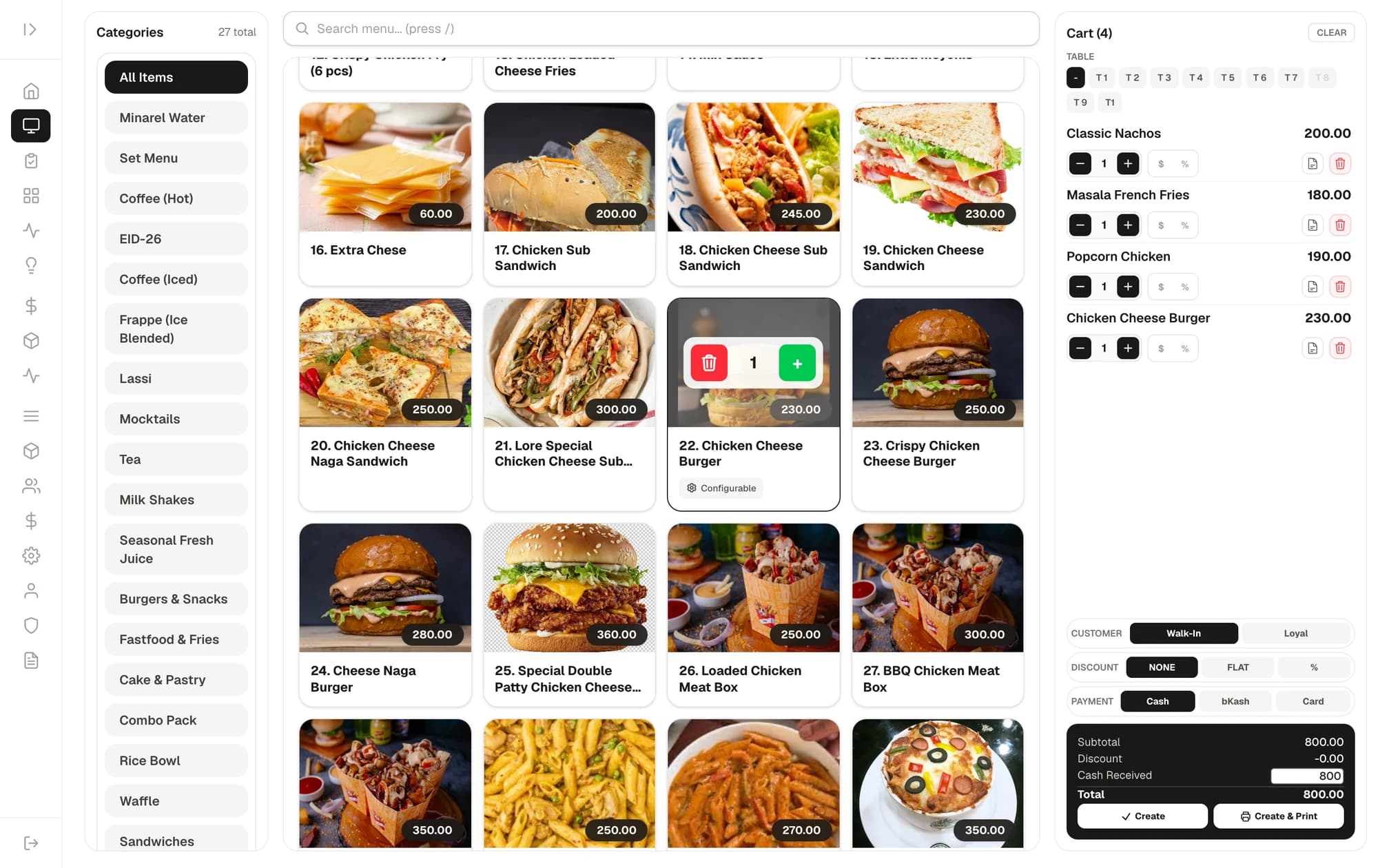
An ordinary POS bills. This one also runs the kitchen's books.
Most restaurant software counts revenue. This counts what each plate cost you in ingredients.
The POS tells you how many portions are left
Each item shows a red “Out of stock” or amber “Low stock” badge computed live from every ingredient in its recipe — minus whatever is already sitting in the current cart. A cashier physically cannot sell a dish the kitchen cannot make.
Ingredients leave stock when the food is served, not when it is paid for
Marking an order served deducts every recipe ingredient, every add-on's ingredients and every combo sub-item's ingredients, each with its own auditable line. Refund or delete the order and all of it reverses.
A real P&L with recipe-based cost of goods
Seven financial reports including Profit & Loss, Balance Sheet, Cash Flow and COGS. Food purchases sit in inventory and only become an expense when the dish sells — and the report tells you which items still have no recipe, so you know how complete the number is.
Every change recorded, before and after
Create, update and delete on every record is logged with who did it, when, and the full before-and-after. Refunds and permanent deletes need an admin password.
A touch-friendly POS in any browser
No POS hardware to buy. A laptop, a tablet or a touch screen — open the browser and the counter is ready.
Menu grid with photos
Pick a category, tap an item, it lands on the bill. Stock state is visible right on the tile.
Modifiers and variants
Extra cheese, size, spice level — required or optional, each with a price delta. Combos too.
Line-level discounts
Flat or percentage, on a single item or on the whole bill.
Kitchen notes
Type “less spicy” and it prints on the kitchen ticket.
Payment and change
Cash, bKash, Nagad or card — each recorded separately. Enter what the customer handed over and the change shows in green.
Loyalty points
Look a customer up by mobile number; points earn and redeem at the counter.
Kitchen display and table management
Orders land on the kitchen screen and are ticked off item by item. Tick them all and the order marks itself served.
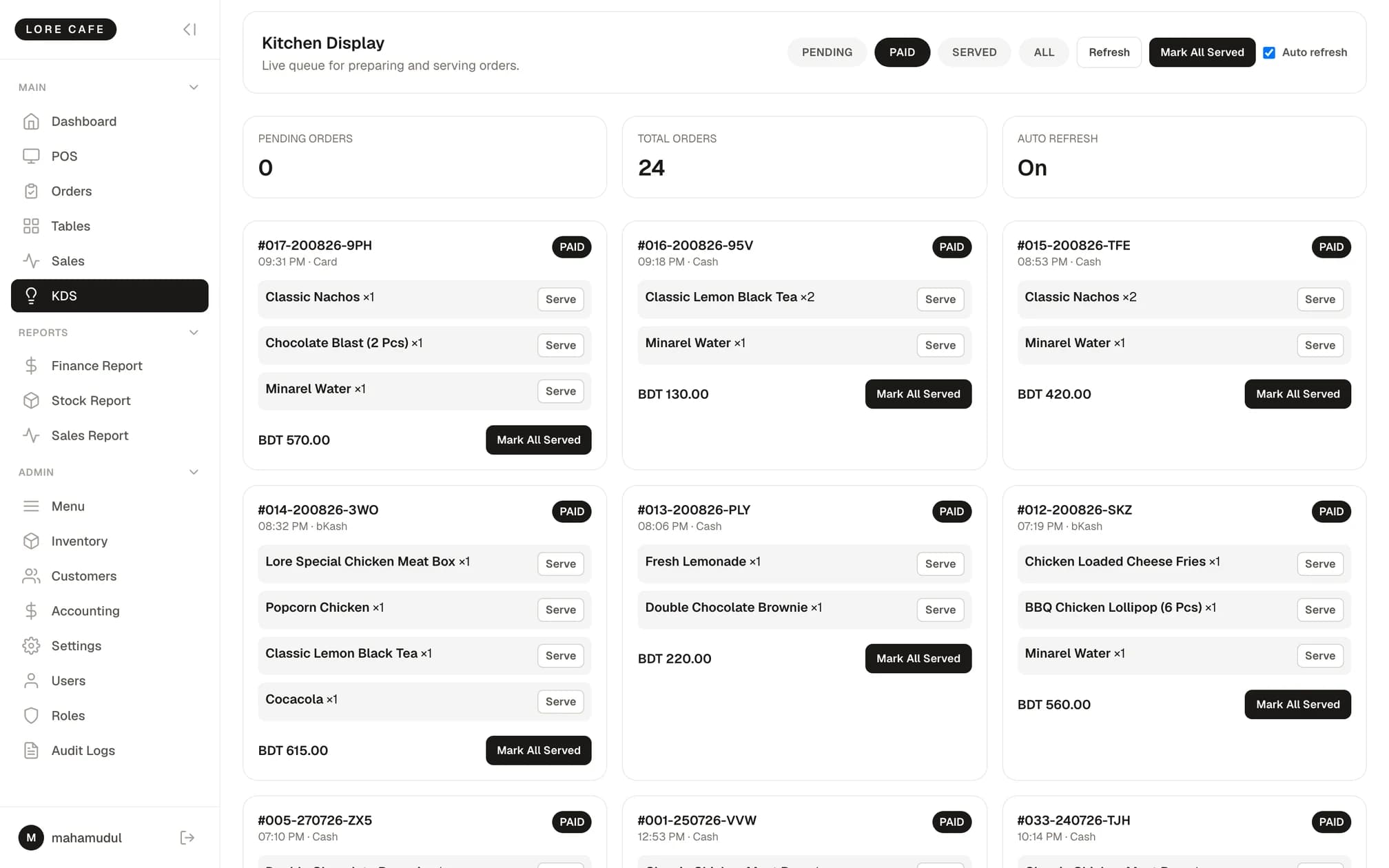
Kitchen display (KDS)
Orders as colour-coded cards that refresh themselves every eight seconds.
Item-level served ticks
Tap the dish that has gone out. When the last one is ticked the order flips to served.
Kitchen ticket printing
Customer receipt and kitchen ticket, both from an ordinary thermal printer.
Drag-and-drop floor plan
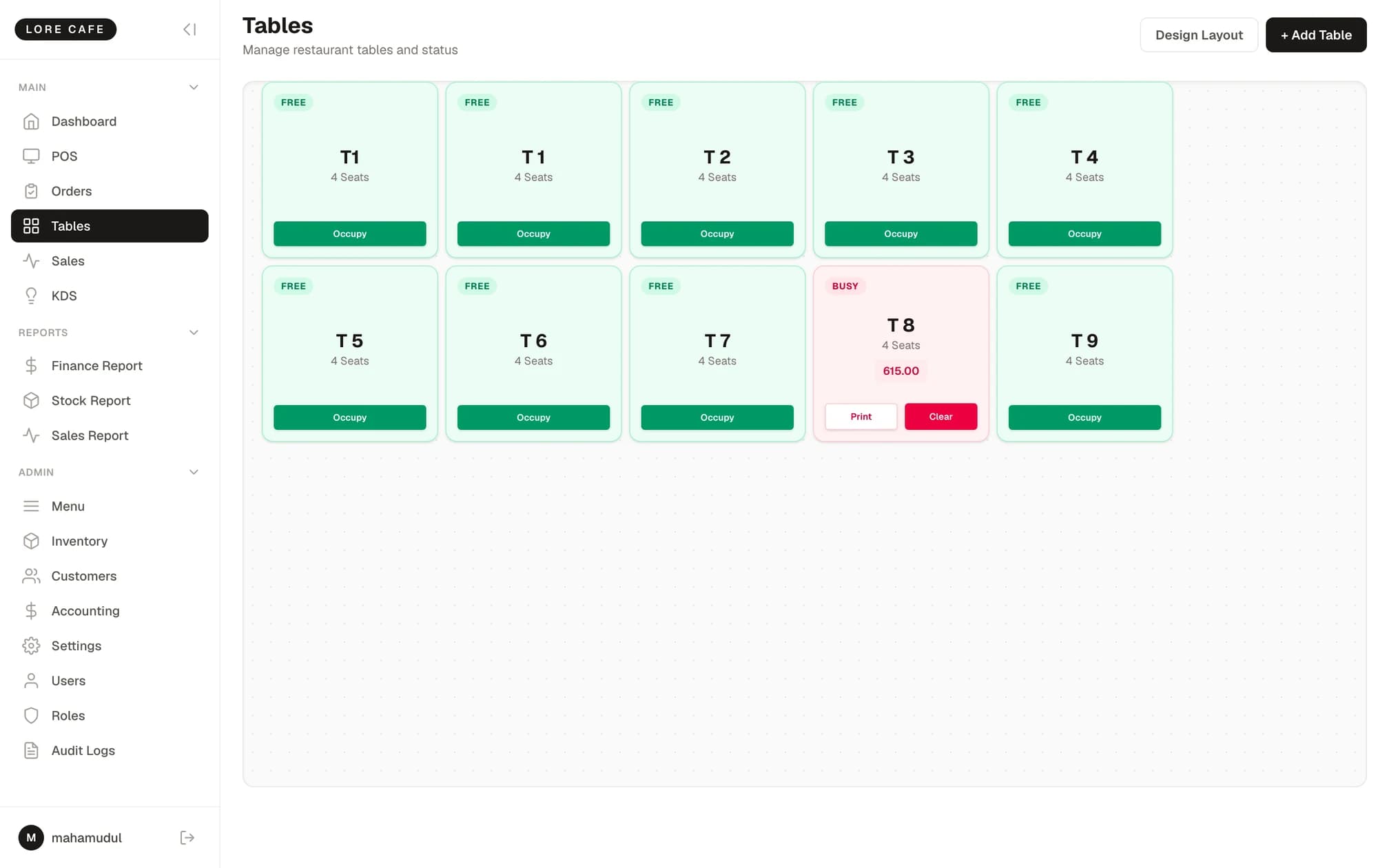
Drag tables to match the real room. Green is free, red is occupied.
Running bill per table
See what an occupied table owes so far, and print from there.
Table rules to suit your floor
Choose one of three behaviours — table required, flexible, or fully flexible.
Menu, recipes and ingredient cost
Attach a recipe to each item — which ingredient, how much. Everything else about cost and profit follows from that.
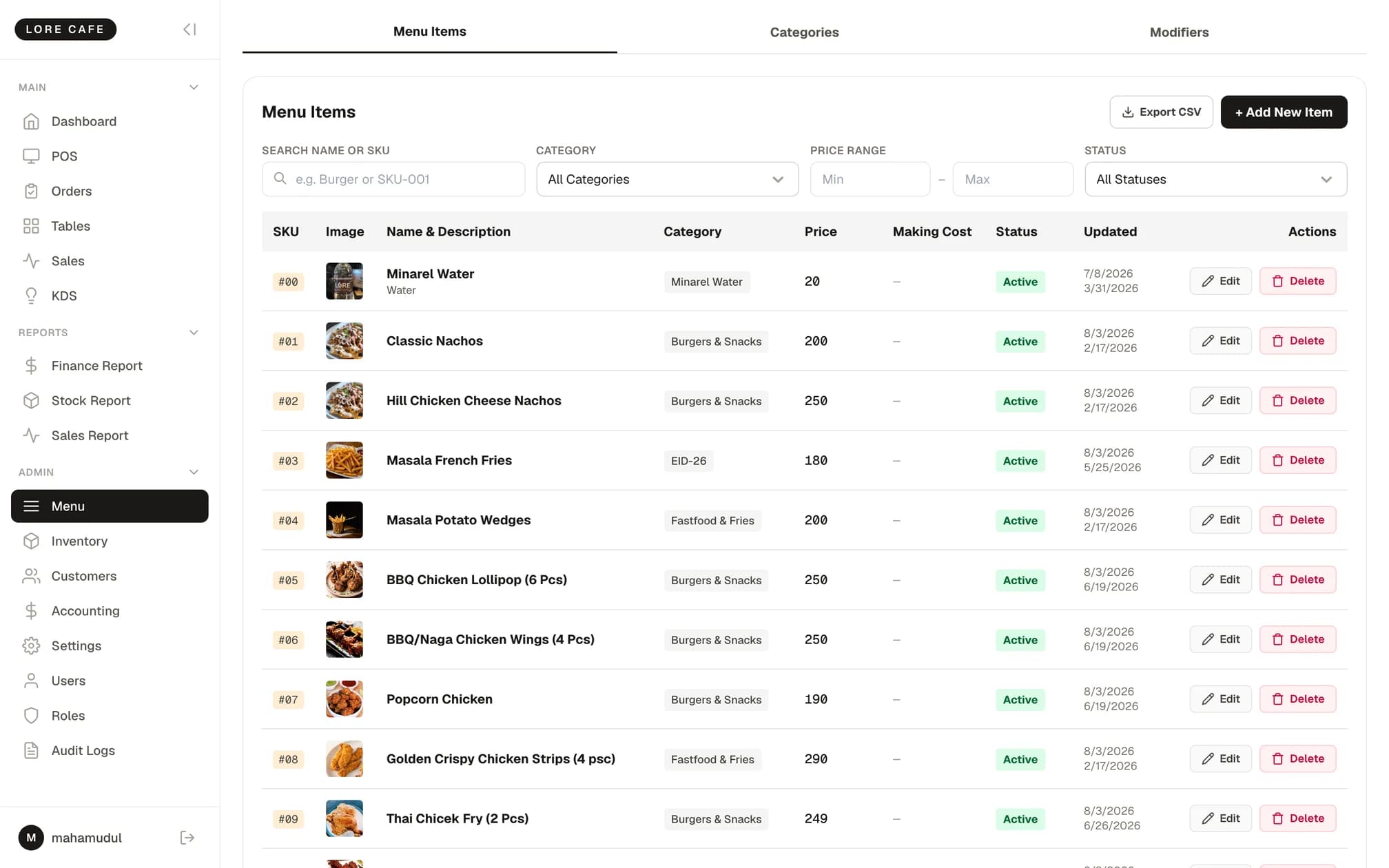
Recipe builder
Add ingredients and quantities; the cost of each line updates as you type.
Making cost and margin
The menu list shows ingredient cost and margin percentage against every item.
Combos roll their cost up
A combo's cost is assembled from the recipes of the items inside it.
Add-ons have recipes too
An extra shot takes its own coffee beans out of stock.
Weighted-average cost
Every delivery recalculates the average cost of that ingredient, so costing stays close to reality.
Stock in creates the expense
Tick “add to expense” when receiving stock and the expense books itself.
Ingredient stock, expiry and waste
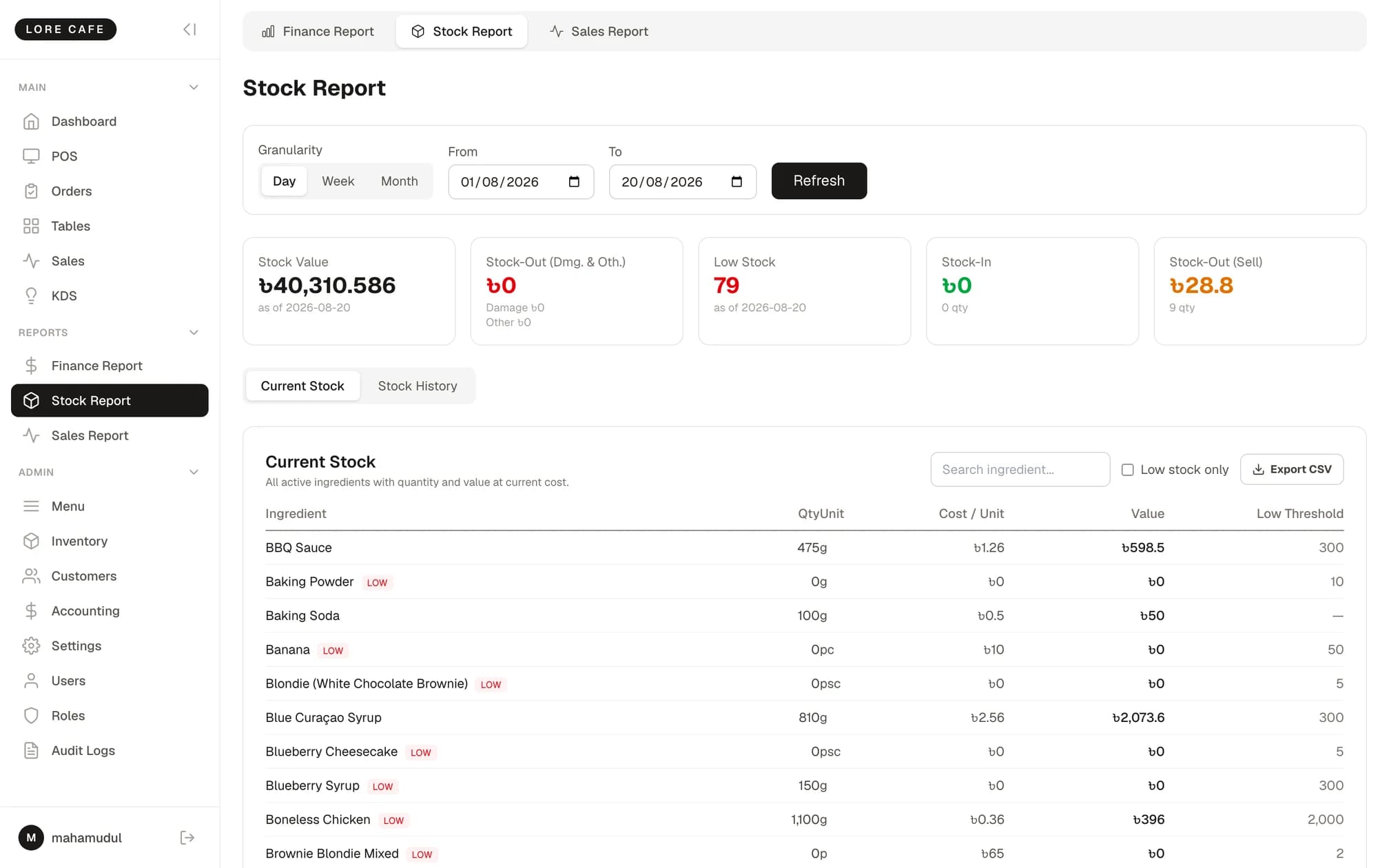
Flour, oil, cheese, coffee beans — tracked individually. What is running low and what was thrown away is on the record.
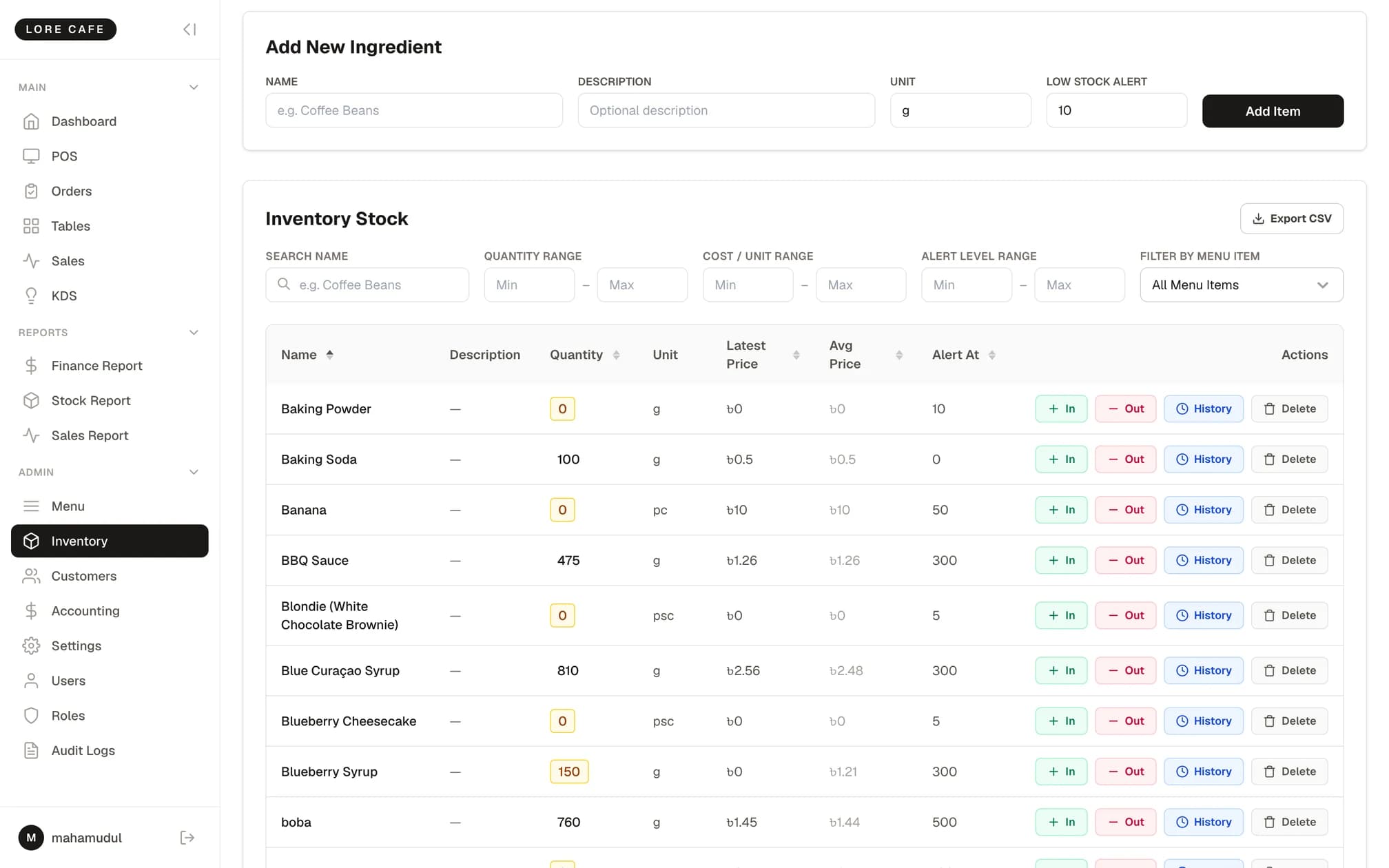
Ingredient master
Unit (g, ml, pieces), current stock, latest price and weighted-average price in one table.
Stock in
Quantity, price, expiry date, supplier name and contact, captured together.
Waste and damage
Stock out with a reason, and the value of the loss shown as you enter it.
Low-stock alerts
A threshold per ingredient; anything below it highlights amber.
Movement history
Every in and out per ingredient, filterable by date, expiry and supplier.
Filter by dish
Pick a menu item and see only the ingredients it uses.
A full set of restaurant books
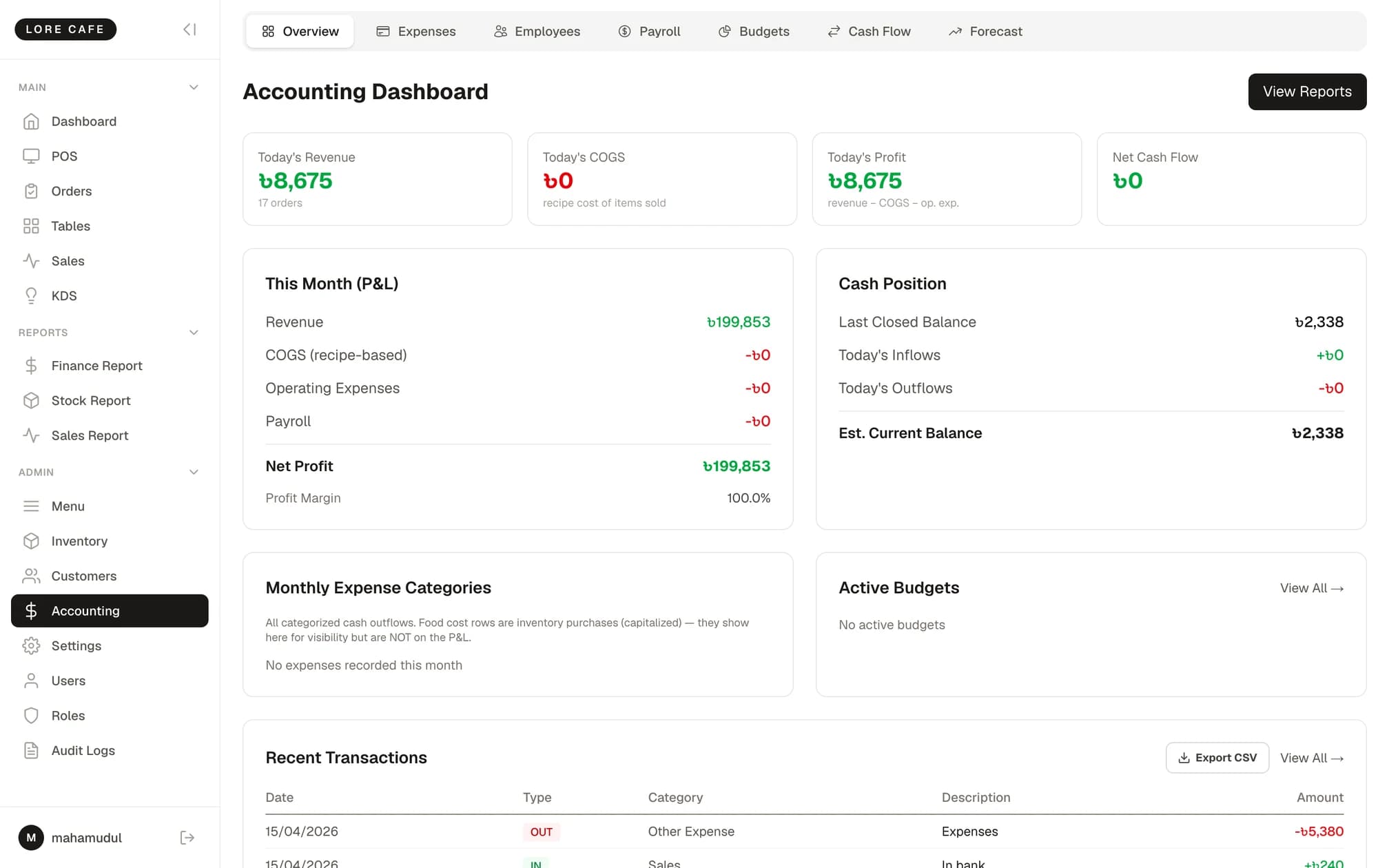
Not just sales reports — expenses, budgets, payroll and a real month-end profit figure.
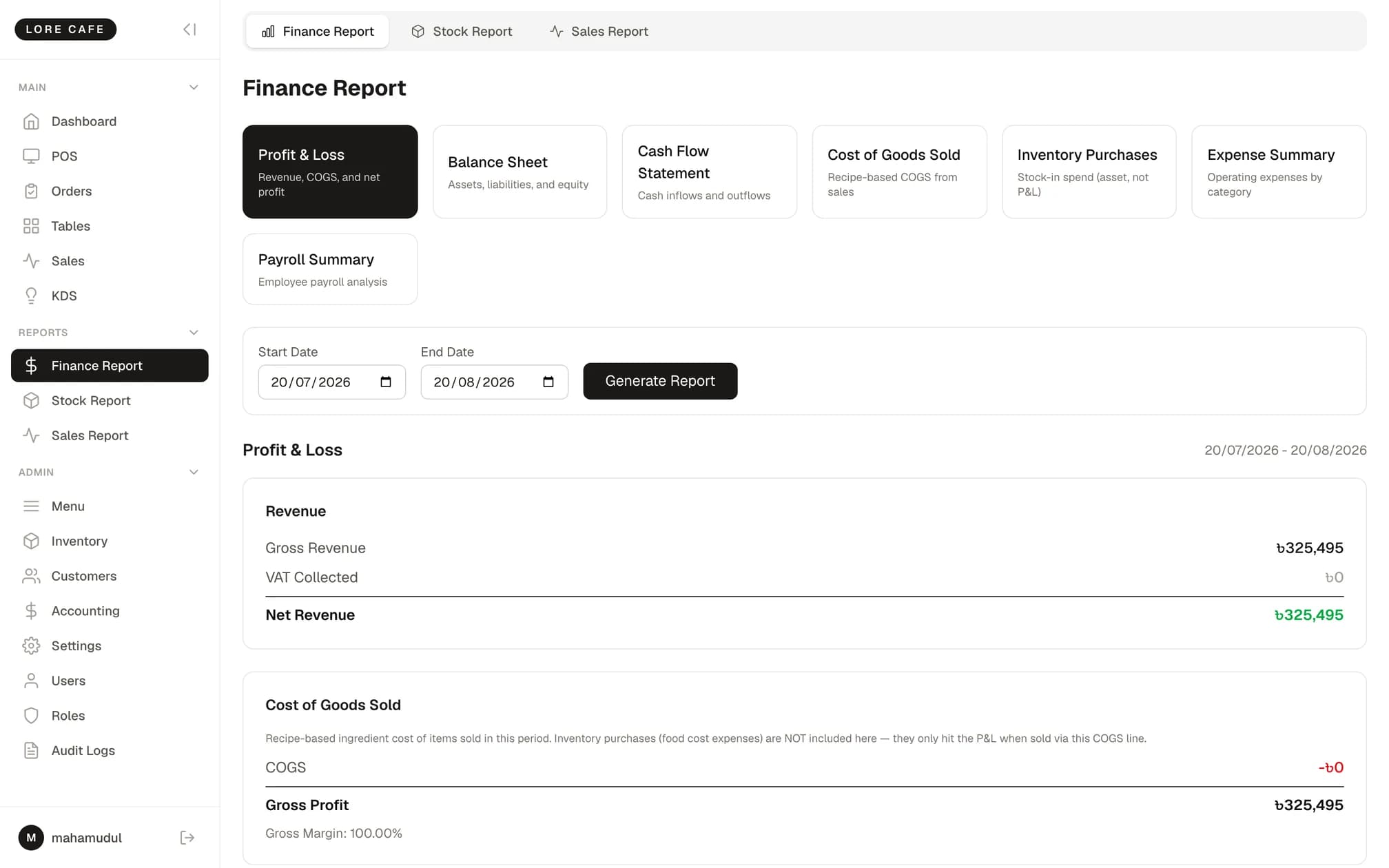
Seven financial reports
Profit & Loss, balance sheet, cash flow, COGS, inventory purchases, expense summary and payroll summary.
Expense ledger
Fifteen categories, vendors, receipt numbers and recurring expenses.
Staff and payroll
Departments, salary types and bank details. Overtime, bonuses (including festival bonus) and deductions produce a net figure.
Budgets
Allocate by category — the bar turns amber past 70% and red past 90%.
Sales breakdown
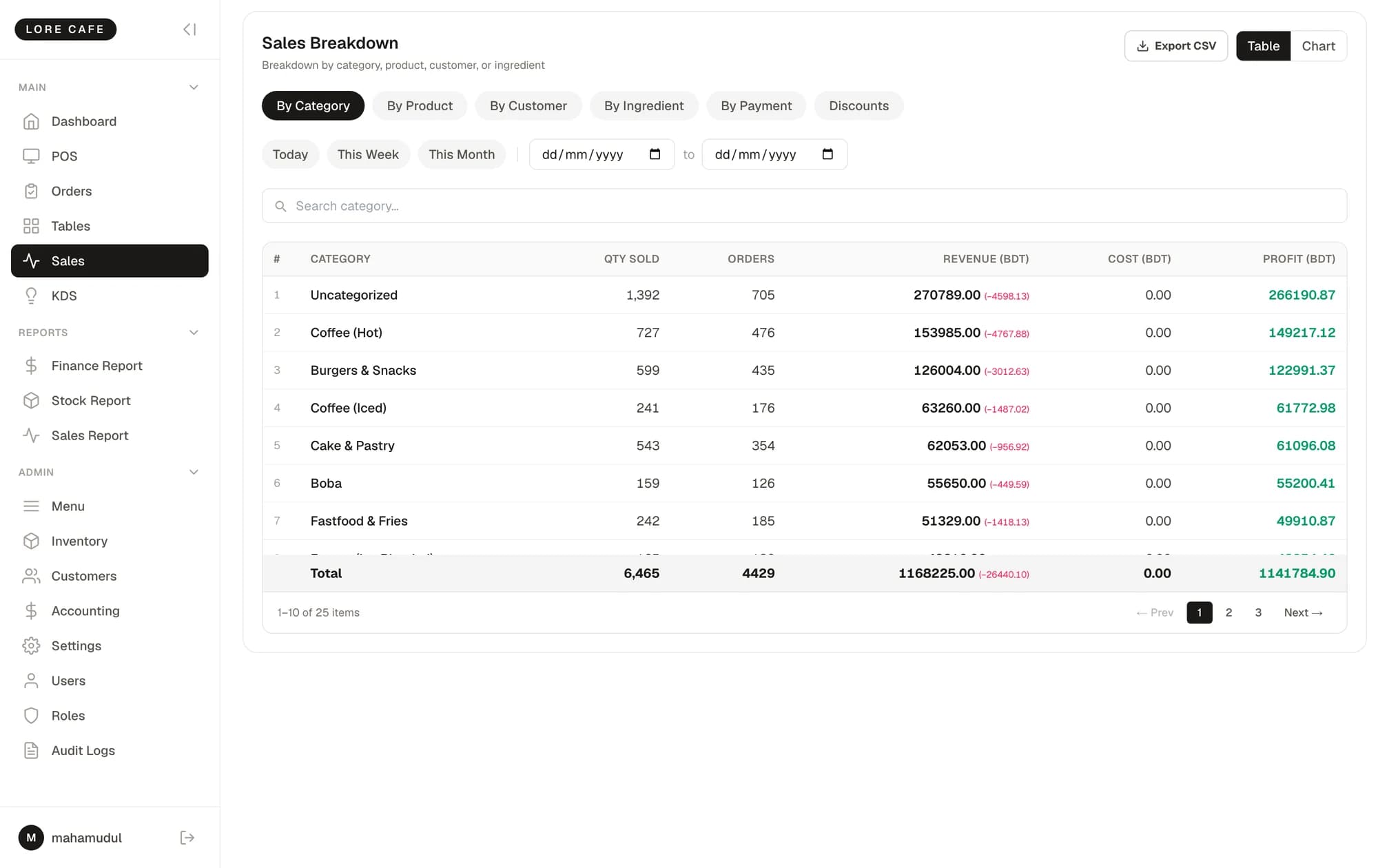
By category, item, customer, ingredient, payment method and discount — as a table or a chart.
Dashboard
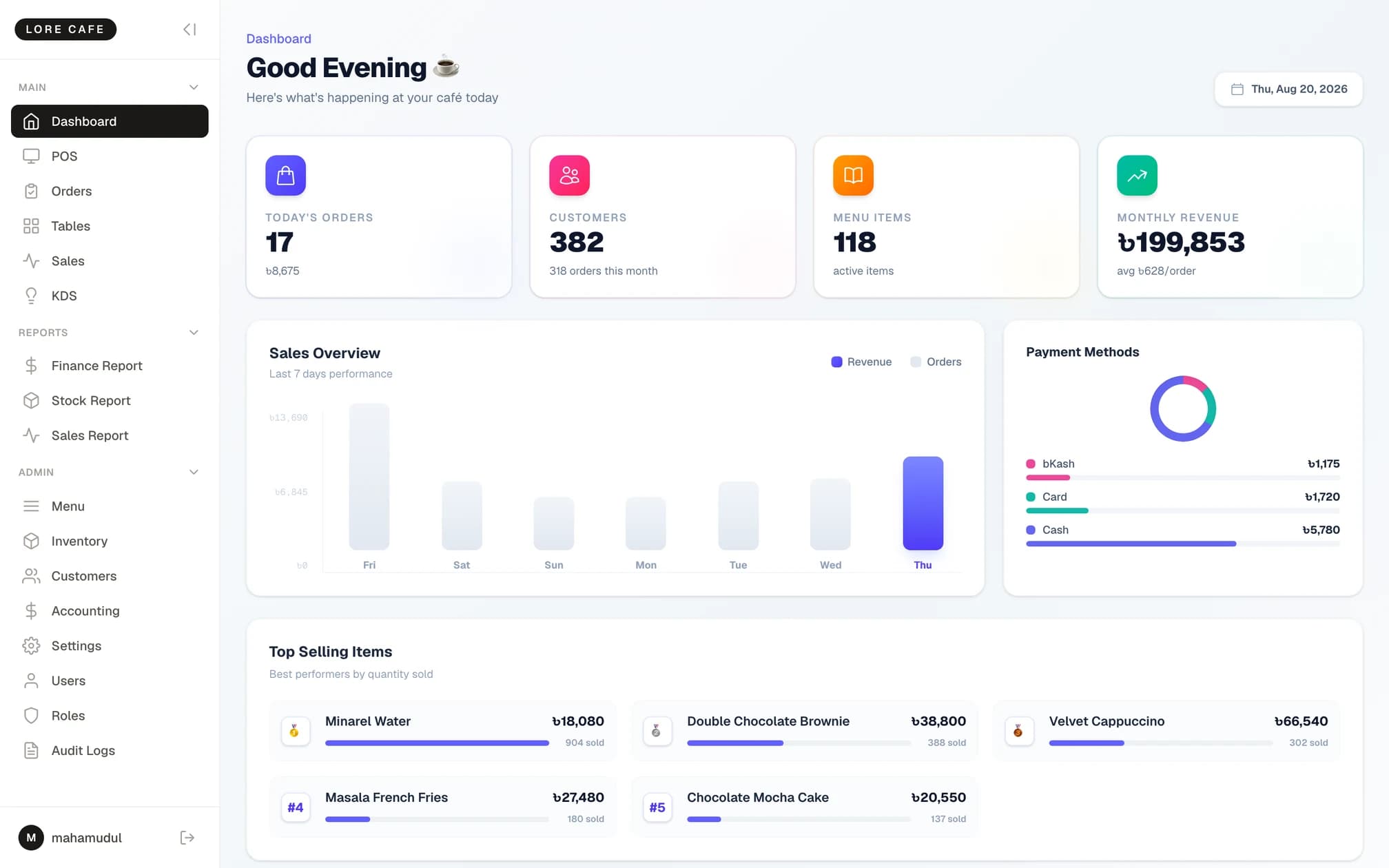
Today's takings, a target gauge, the payment mix and your busiest hours on one page.
Hand over the till, not the business
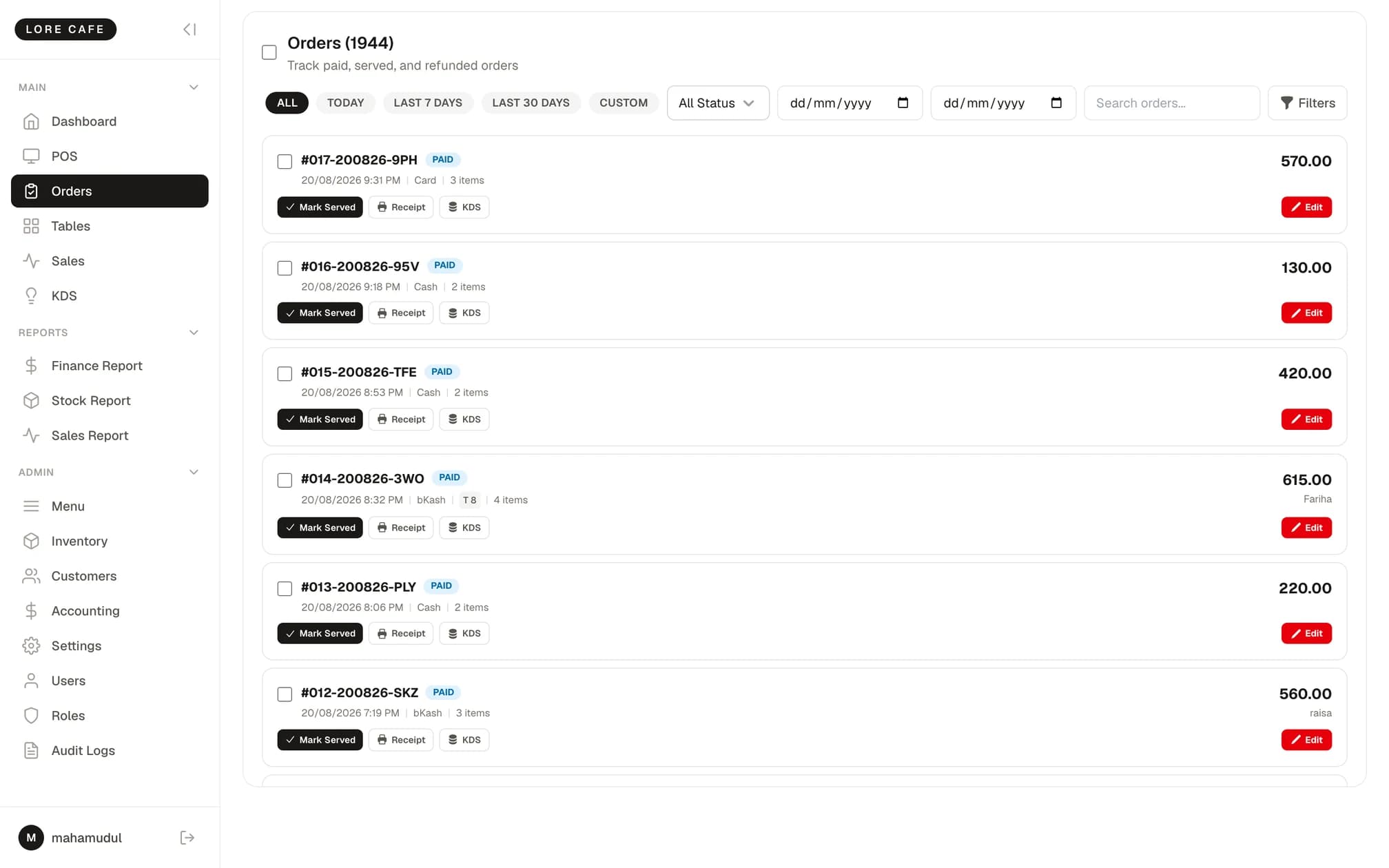
You can even control which orders someone is allowed to see — all of them, their own, today's, the last 7 days or the last 30.
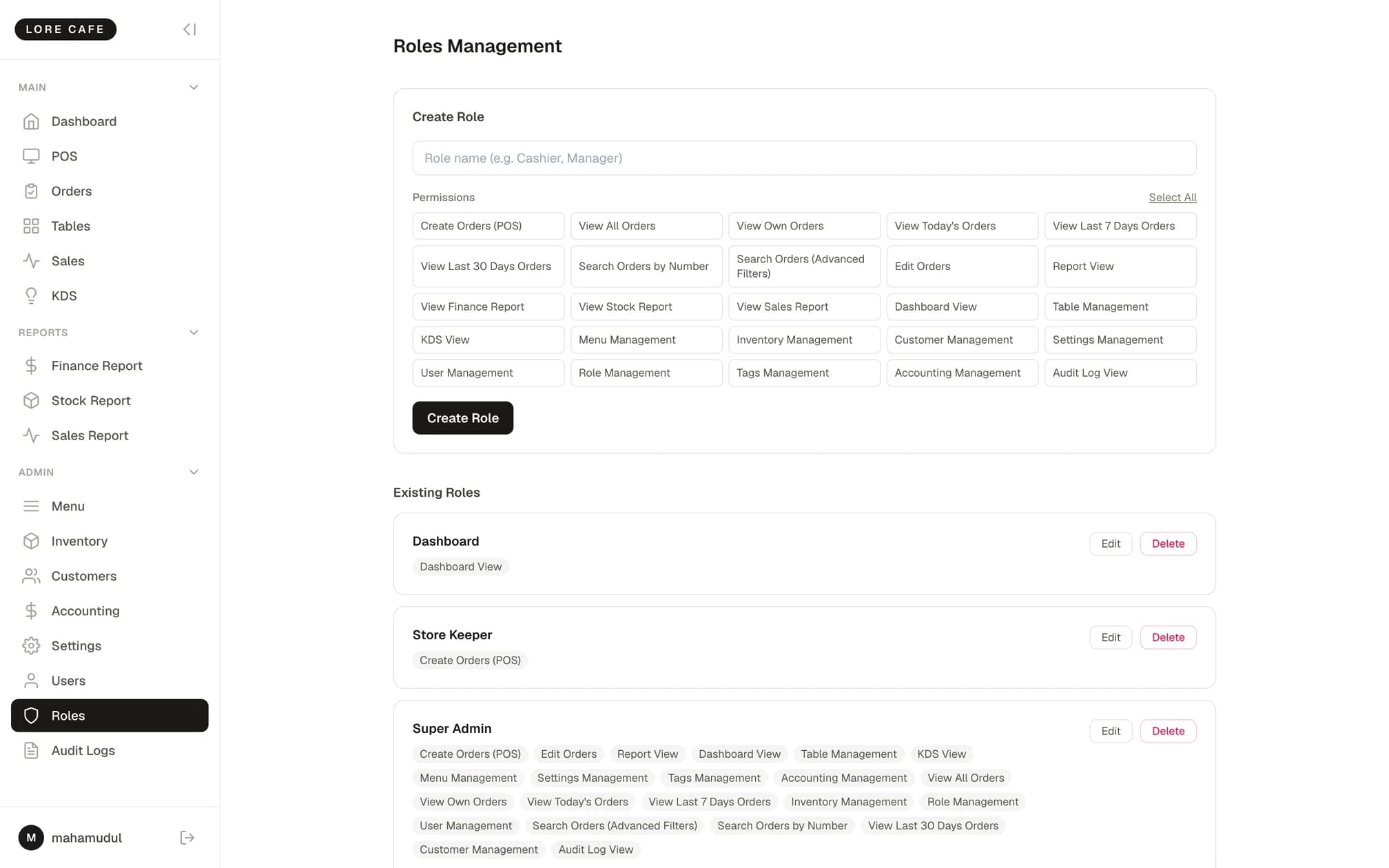
25 permissions
Build roles, then widen or narrow them for one individual where you need to.
Order visibility tiers
Five levels: all orders, own orders, today, last 7 days, last 30 days.
Tag-based filtering
Give a staff member a tag and they only see the orders carrying it.
Audit log
The full before and after of every change, with the person who made it.
Password-gated refunds
Refunds and permanent deletes require the admin password.
CSV export
Straight to Excel from fifteen screens — the ৳ sign survives the trip.
Who RMS Ultra was built for
Single-outlet restaurants, cafés and fast-food shops.
Cafés and coffee shops
For anyone who wants to know what the beans and milk actually cost per cup.
Restaurants
Tables, kitchen tickets and a kitchen display covering the whole floor.
Fast food and combos
Combo costs assemble themselves from the items inside them.
High food-cost kitchens
If you need to find where the margin is leaking, recipe-based COGS is where you look.
Real screenshots from the running system
Taken from a working restaurant.
Frequently asked questions
No. bKash, Nagad, card and cash are each recorded as the method used and reported separately. There is no payment gateway integration — the software does not itself charge a bKash wallet.
See it with your own menu
Book a call and we will load your menu and a couple of recipes, then show you where the food cost lands.