
StoreOS Easy Pharma
The whole system in Bangla, and faster than the khata
Over 25,000 Bangladeshi medicines loaded from day one. Type নাপা or napa — both find it. Sell a strip or four loose tablets, track every batch and expiry, keep the baki ledger and close the day, all from the keyboard.
- ✓Photograph the distributor's memo and the invoice types itself
- ✓A return-to-supplier worksheet before the expiry date, not after
- ✓Selling, printing and credit all keep working with no internet
Built around what actually goes wrong in a pharmacy
Keying a forty-line memo, money dying on the shelf at expiry, and not finding a medicine because of how it was spelled.
Photograph the memo — the invoice types itself
A QR code appears on the counter screen. Scan it with any phone and photograph the distributor's memo — no app, no login. Supplier, invoice number, and every line with batch, quantity, free goods, rate, VAT and discount come back filled in, colour-coded by how confident the reader is.
Expiry is money, and the software goes and gets it back
How much value expires in which month, how much of it is recoverable and how much is simply lost — all at cost price. Then a return worksheet per supplier that already knows each distributor's return window.
First to expire is first to sell — and expired stock cannot
With several batches of the same medicine, the system picks the one expiring soonest. An expired batch is removed from consideration and checked again when the bill is built. It can only leave as a write-off or a return to the company.
However your staff spell it, they will find it
নাপা, napa, nappa, nepa all find Napa. Bangla is transliterated to Latin and near-identical sounds are folded together. Your own shop's best sellers rank first, so the four medicines you actually sell beat the twenty-five thousand you do not.
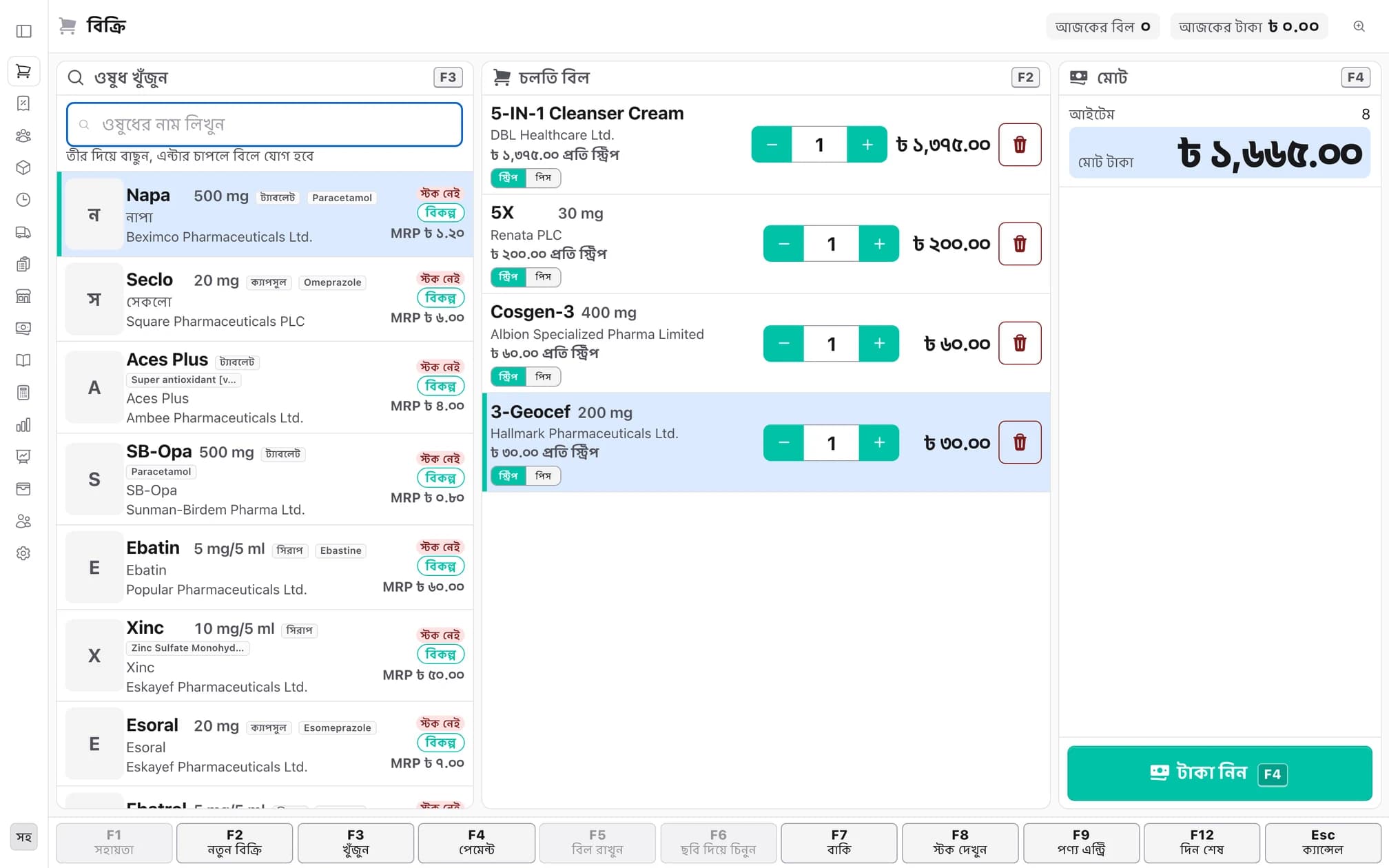
The whole sale, from the keyboard
It works without a mouse. Type a letter and the medicine appears; press Enter and it lands on the bill while the cursor stays in the search box.
Search from the first character
Brand, generic, strength, manufacturer, stock state and MRP on one row.
Strip or loose pieces
Sell four tablets or a whole strip — the price derives itself and the bill still adds up.
Seven payment methods
Cash, bKash, Nagad, Rocket, Upay, card and baki — and any two can be split on one bill.
Change, immediately
Enter what the customer handed over and the change appears large and colour-coded. Quick-cash buttons included.
Out of stock? Show substitutes
Other brands of the same generic at the same strength, with the in-stock ones listed first.
Five ways to give the bill
Thermal print, on screen, an image for WhatsApp, an SMS link — or none at all.
Every strip accounted for, by batch and expiry
Stock is not a number that gets edited — it is every receipt and every sale, recorded against a batch and an expiry date.
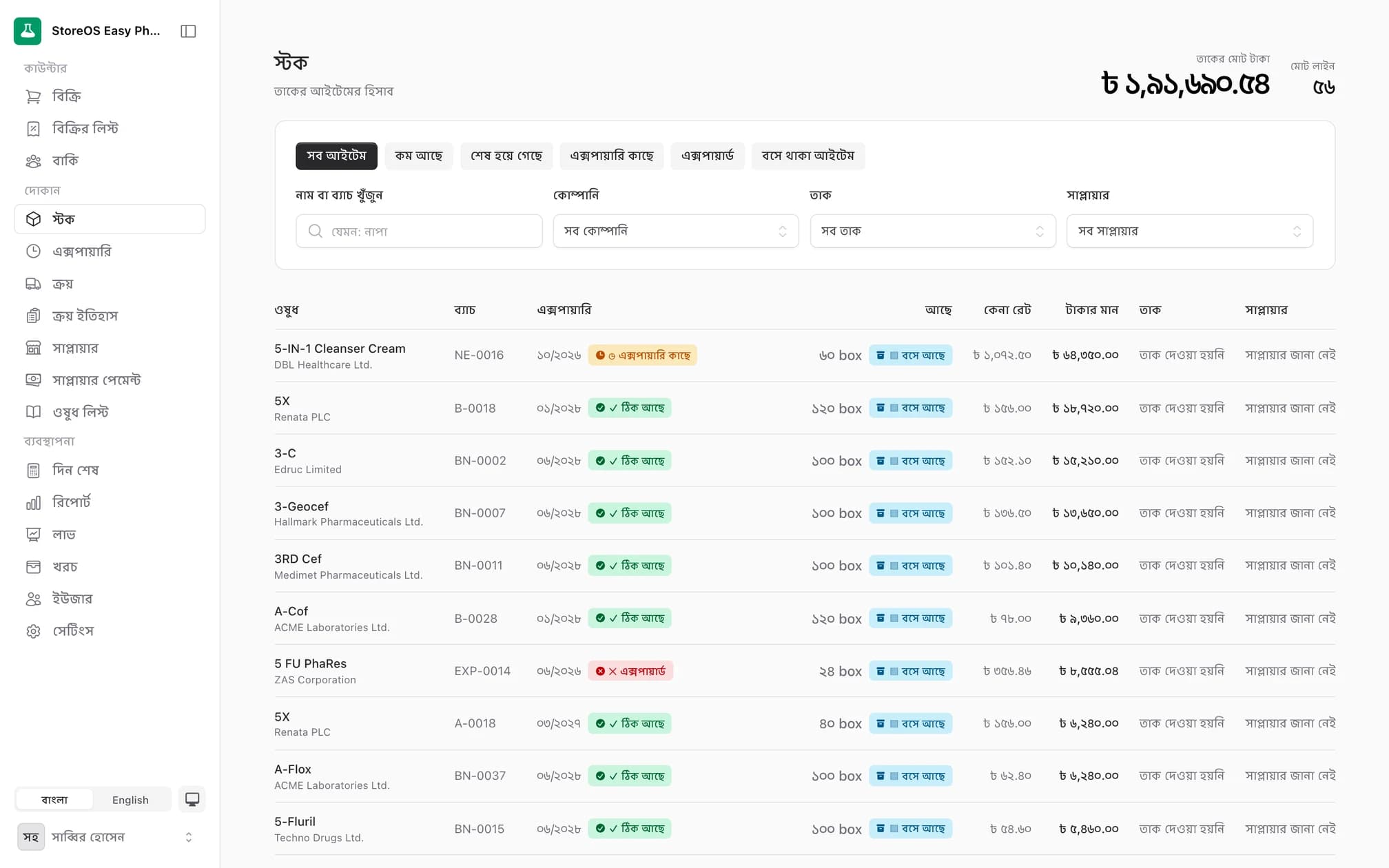
Stock held per batch
Batch number exactly as printed, expiry, cost price and which supplier it came from.
Six filters
All, low, out of stock, near expiry, expired, and stock that has not moved.
Write-offs
Broken, damaged or lost — pick one of six reasons and see the value of the loss as you enter it.
Shelf location
Record which shelf or rack each medicine sits on, so a new salesman can find it.
Task list
Every stock problem as one list, ordered by how much money is tied up in it.
Weighted-average valuation
Free goods dilute the effective cost properly, so the stock value stays realistic.
The expiry board and returns to the company
Not after the date has passed — see which month is carrying how much of your money well before it.
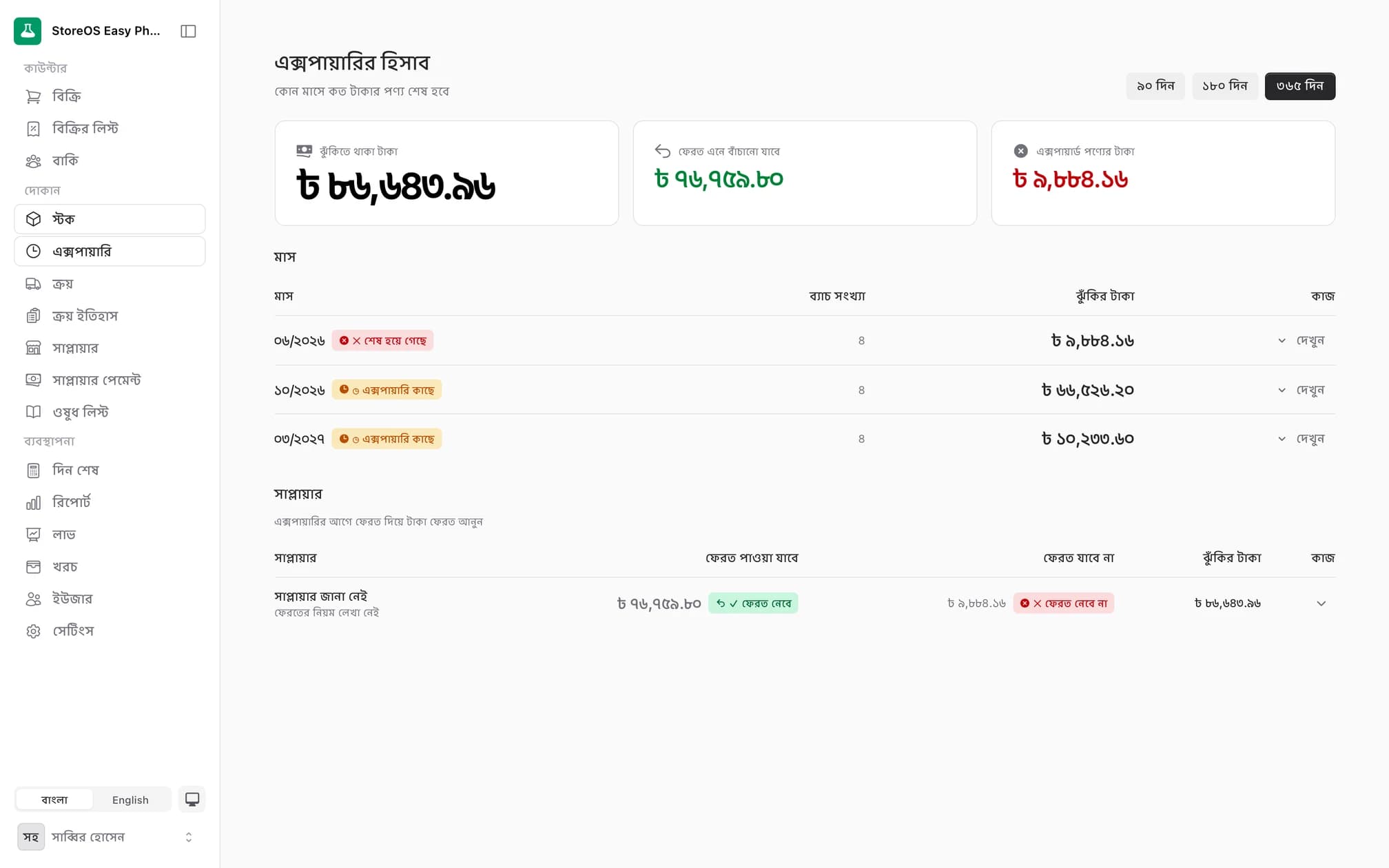
Three horizons
90, 180 or 365 days, whichever way you want to look at it.
Value at risk
What is at risk, what returns can recover, and what is simply lost — three separate figures.
Grouped by month
How many batches and how much value expire in each month.
Grouped by supplier
With each distributor's return window and whether they accept post-expiry returns.
Return worksheet
Tick the batches, print the list the MR signs, and the pending credit is raised and starts ageing.
Alerts in advance
Warnings at 180, 90 and 30 days out, adjustable to your own thresholds.
Receiving stock, suppliers and payables
No memo to key in — photograph it. And see who is owed how much, and how long it has been outstanding.
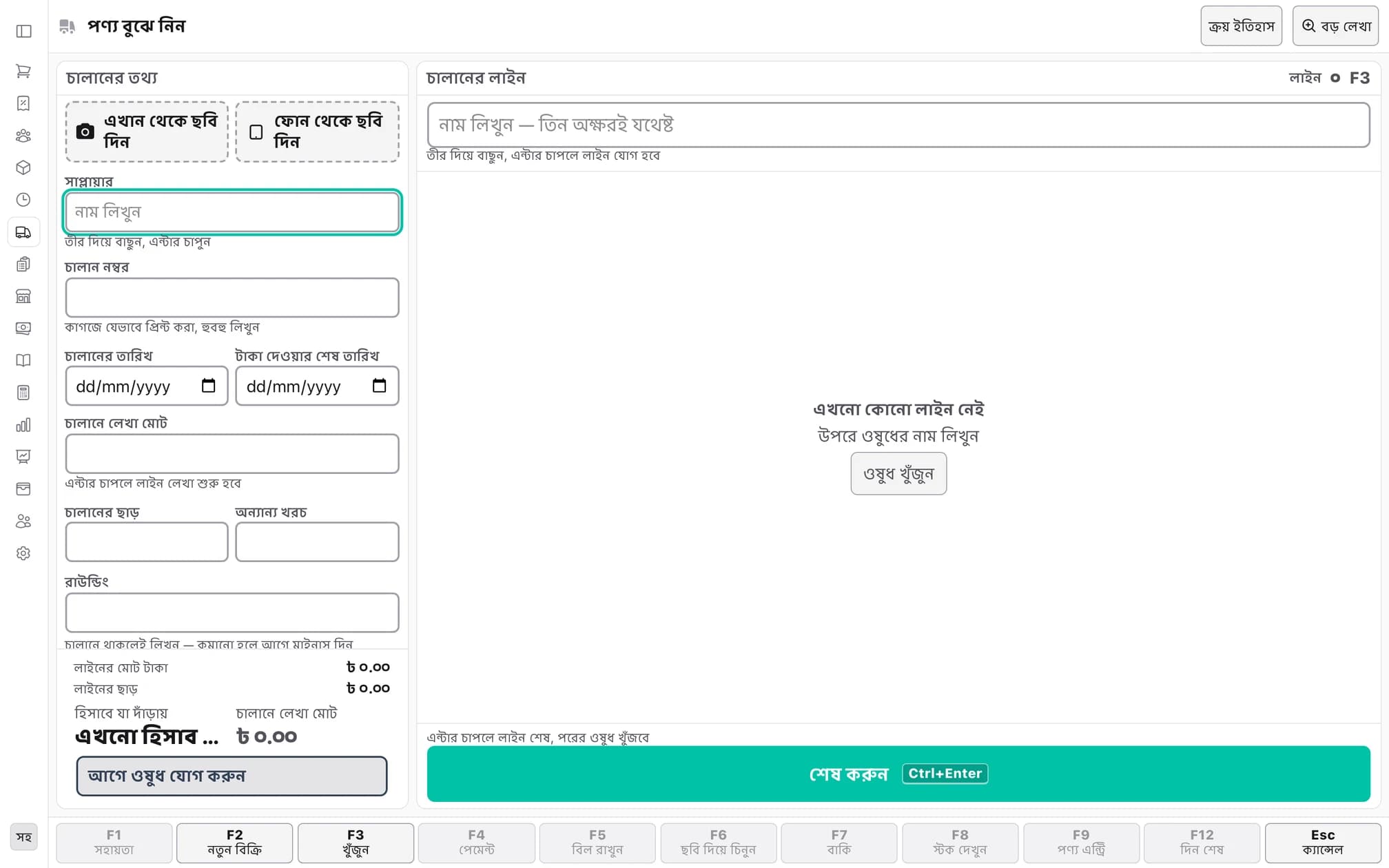
Invoice from a photo
Photograph the memo on a phone; every line is read back with a confidence colour.
The arithmetic is checked
Gross, VAT, discounts and rounding are compared against the net the memo printed, and marked green or red.
No memo entered twice
The same supplier and invoice number entered again is caught before it posts.
Free goods handled properly
Bonus strips are recorded separately and folded into the weighted-average cost.
Supplier terms on file
MR name and number, credit period, delivery days and the return policy, all recorded.
Payables and ageing
What is outstanding and how old it is; payments allocate against invoices and print a voucher.
A credit ledger faster than the pen it replaces
Type the mobile number, press Enter, done. The oldest debt clears first, so “how many days outstanding” stays true.
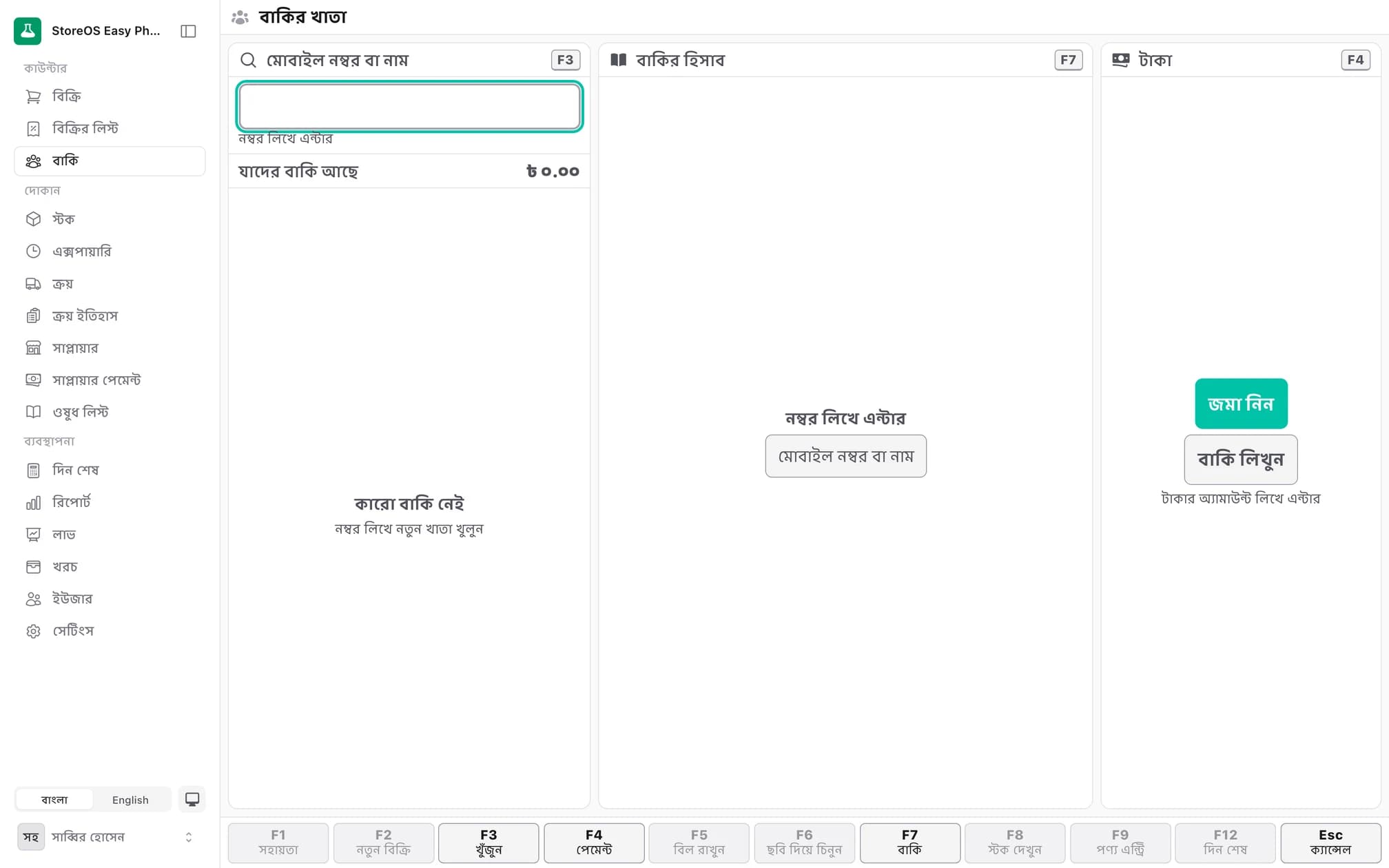
Customers by mobile number
01712…, +880…, or Bangla digits — all normalised to the same person.
Oldest debt clears first
Repayments consume the oldest entry, which keeps the ageing figure honest.
Limits that warn, never block
Set a credit limit and it warns you past it — but it will never refuse a sale. The shopkeeper knows the customer better than the software does.
Send the statement as an image
The whole ledger as a picture for WhatsApp or IMO — drawn on the device, so it works offline.
What did they take last time
Purchase history for that customer, one click away.
Reminder messages
A Bangla message handed to the phone's SMS app, carrying only the shop name and the amount — never a medicine name.
Day close, profit and expenses
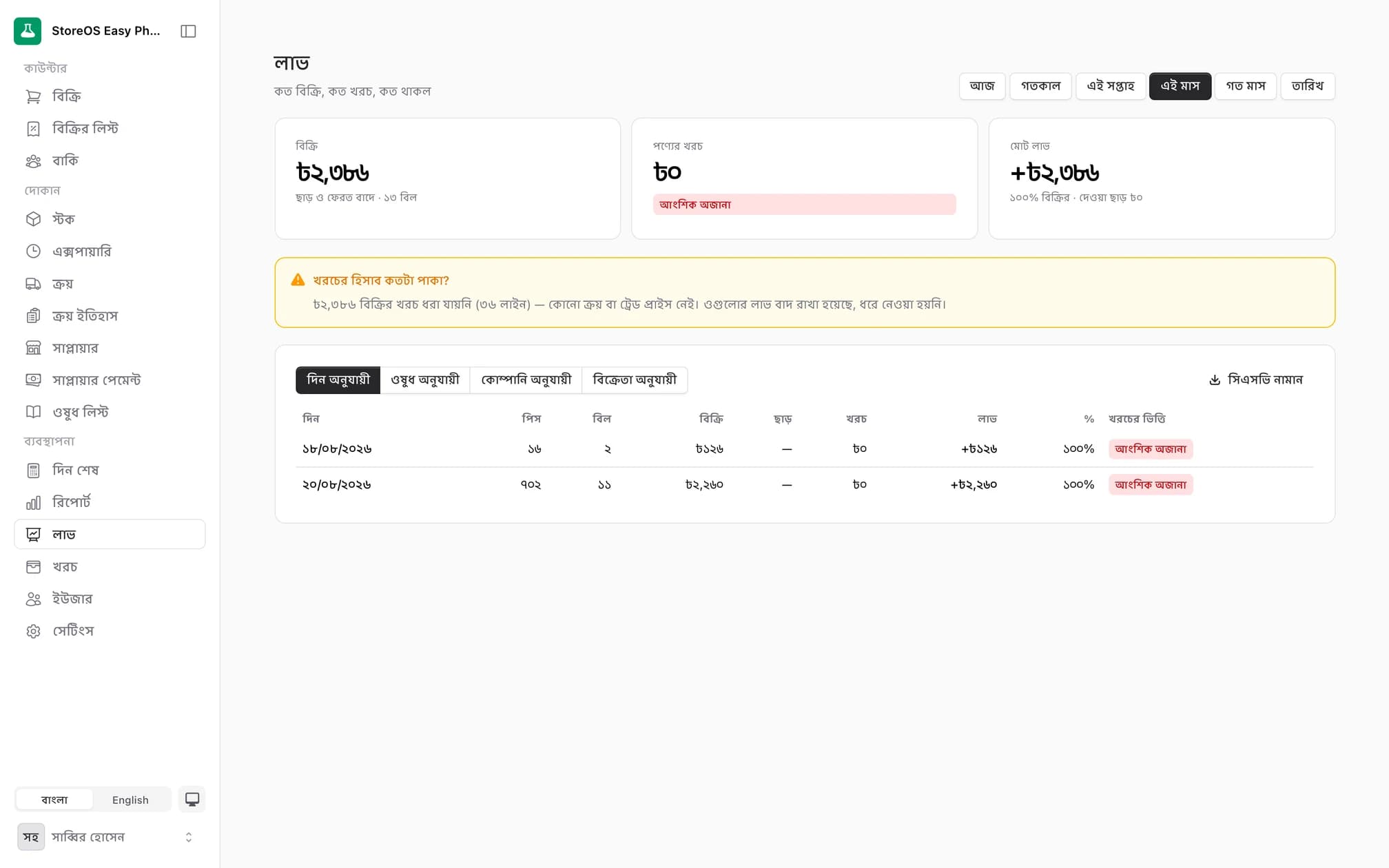
What the cash should be against what you actually counted — and it shows you the difference rather than hiding it.
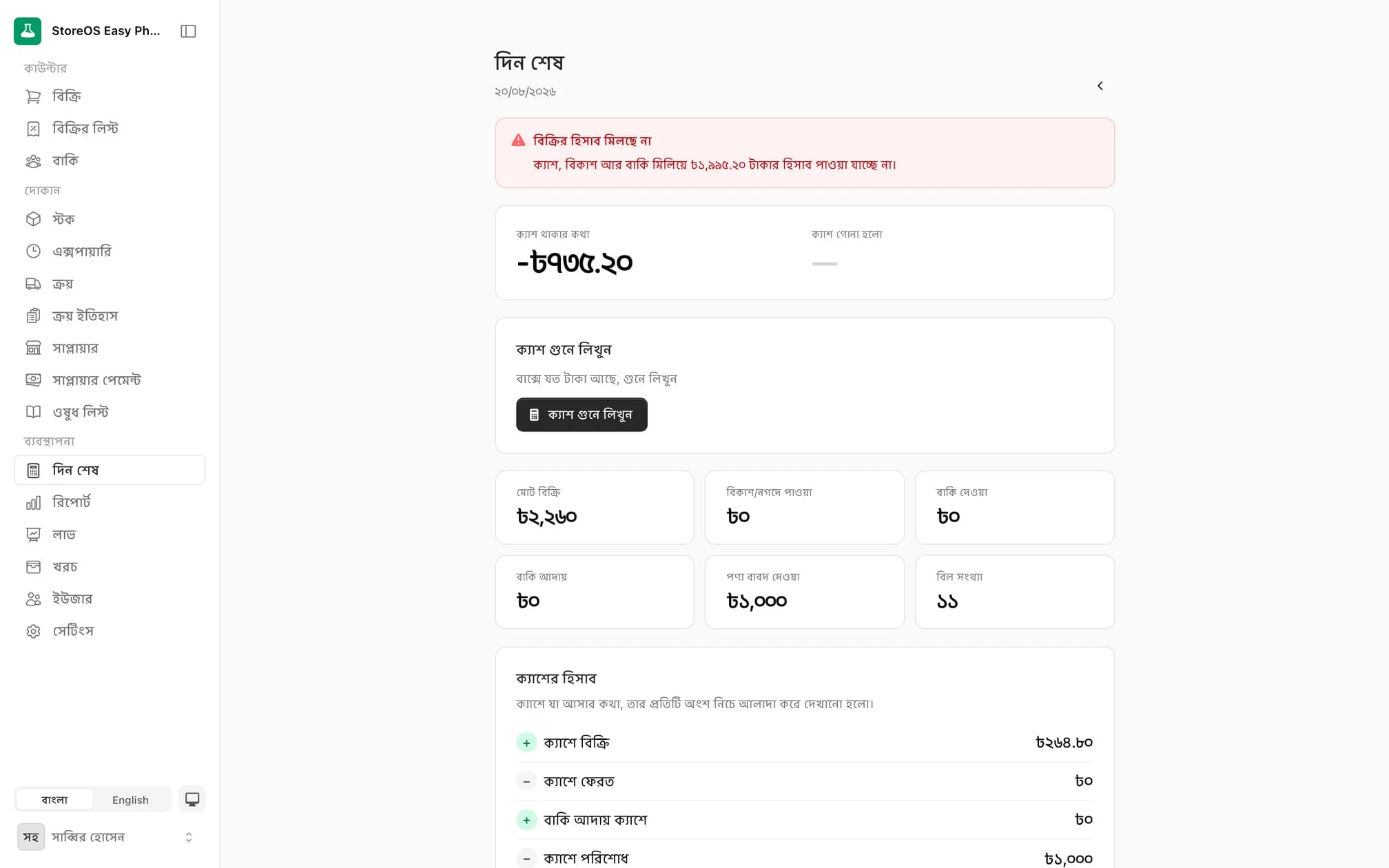
Day close
Expected versus counted, and exactly which entries produced the expected figure, plus and minus.
Profit report
Revenue, cost and margin, grouped by day, medicine, manufacturer or staff member.
How solid the costing is
It tells you how much of the cost basis is real and how much is estimated.
What moves and what does not
Top movers and slow movers, side by side.
Expense ledger
Categorised expenses with who was paid and how.
Five CSV exports
Sales, purchases, payments, expenses and profit, straight into Excel.
Who Easy Pharma was built for
The shop still running on a khata and a calculator, carrying one to four thousand items.
Retail drug shops
1,500 to 4,000 items, loose-piece sales and a credit ledger — this is that shop.
Shops losing money to expiry
The expiry board and the return worksheet exist to get that money back.
Places with unreliable internet
Selling, printing and credit keep working when the line drops.
Staff who are not comfortable in English
The entire system is in Bangla, down to the numerals.
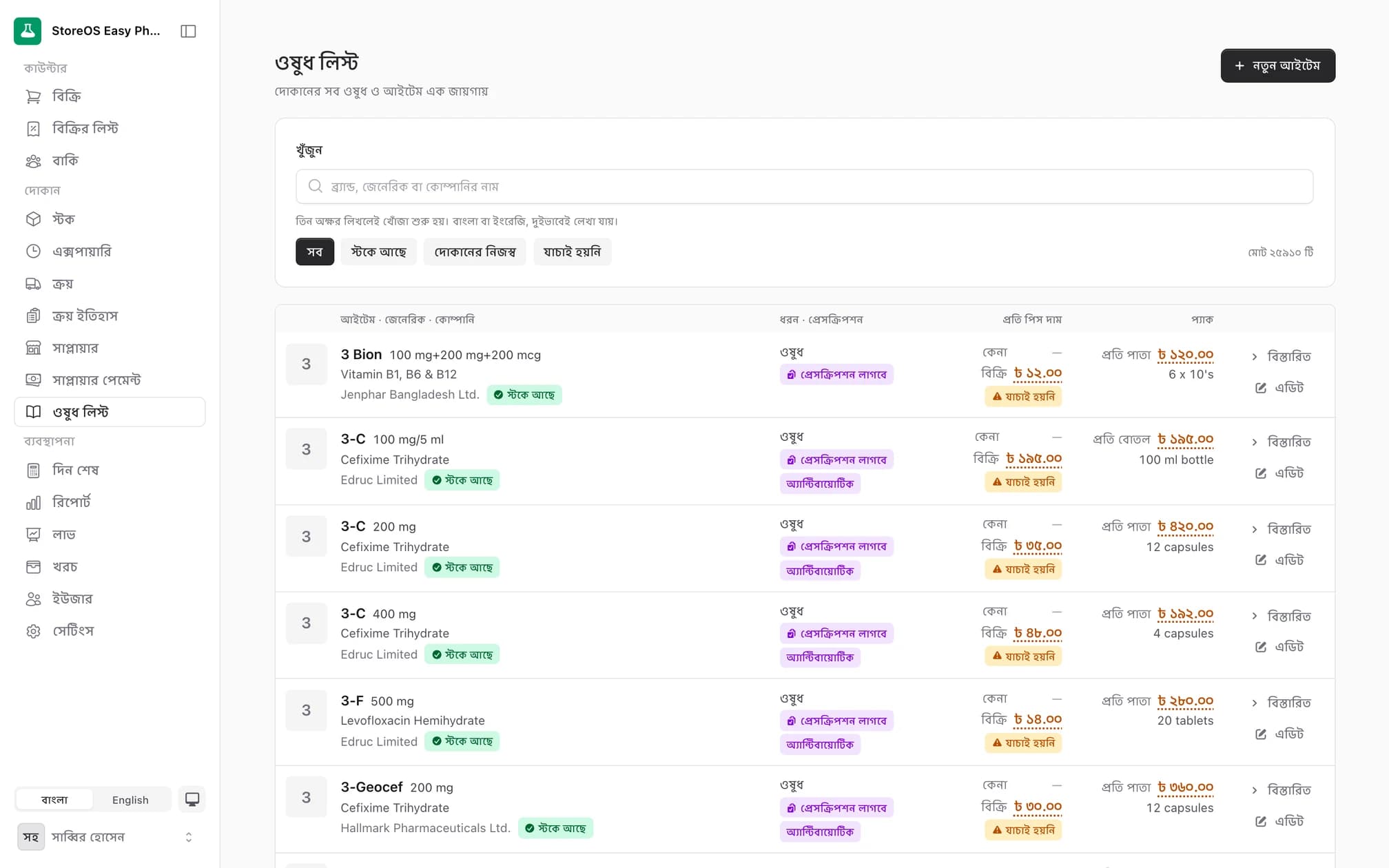
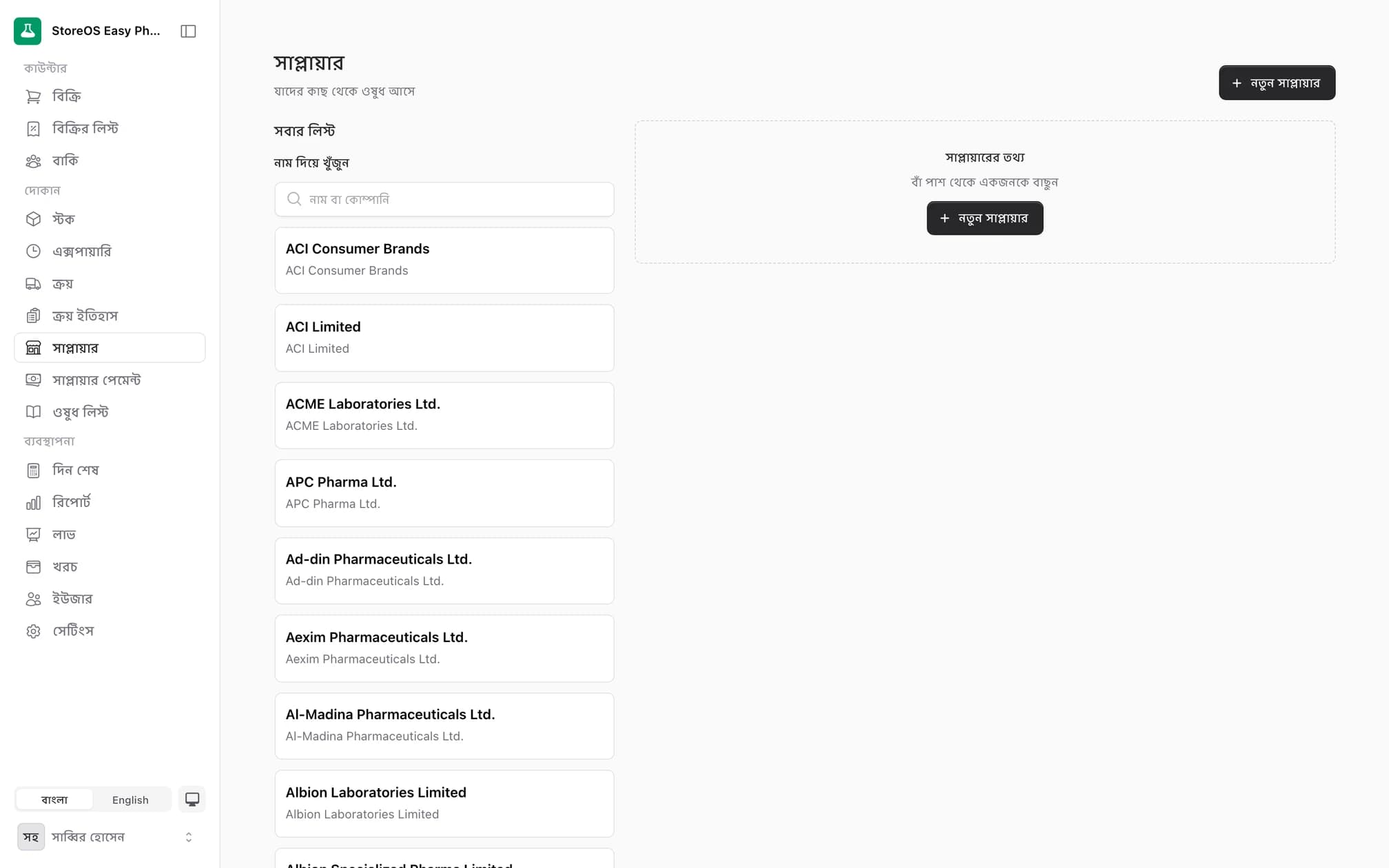
Real screenshots from the running system
All in Bangla — exactly what your counter will see.
Frequently asked questions
No. The image reader is for distributor memos and purchase invoices. There is no prescription capture or prescription OCR, and we will not claim there is.
See it with your own stock
Book a call — bring a photo of one of your memos and we will show you it turning into stock.