
StoreOS Commerce 360
From the Facebook page to the doorstep — one system for all of it
Taking orders, stock, courier booking, cash-on-delivery accounting and your own online shop, behind a single login. Built for businesses that sell on Facebook and online.
- ✓Push orders to Pathao or Steadfast one at a time, or thirty at once
- ✓Describe the page in Bangla and the AI builds it, order form included
- ✓COD money posts itself to the ledger the moment the courier delivers
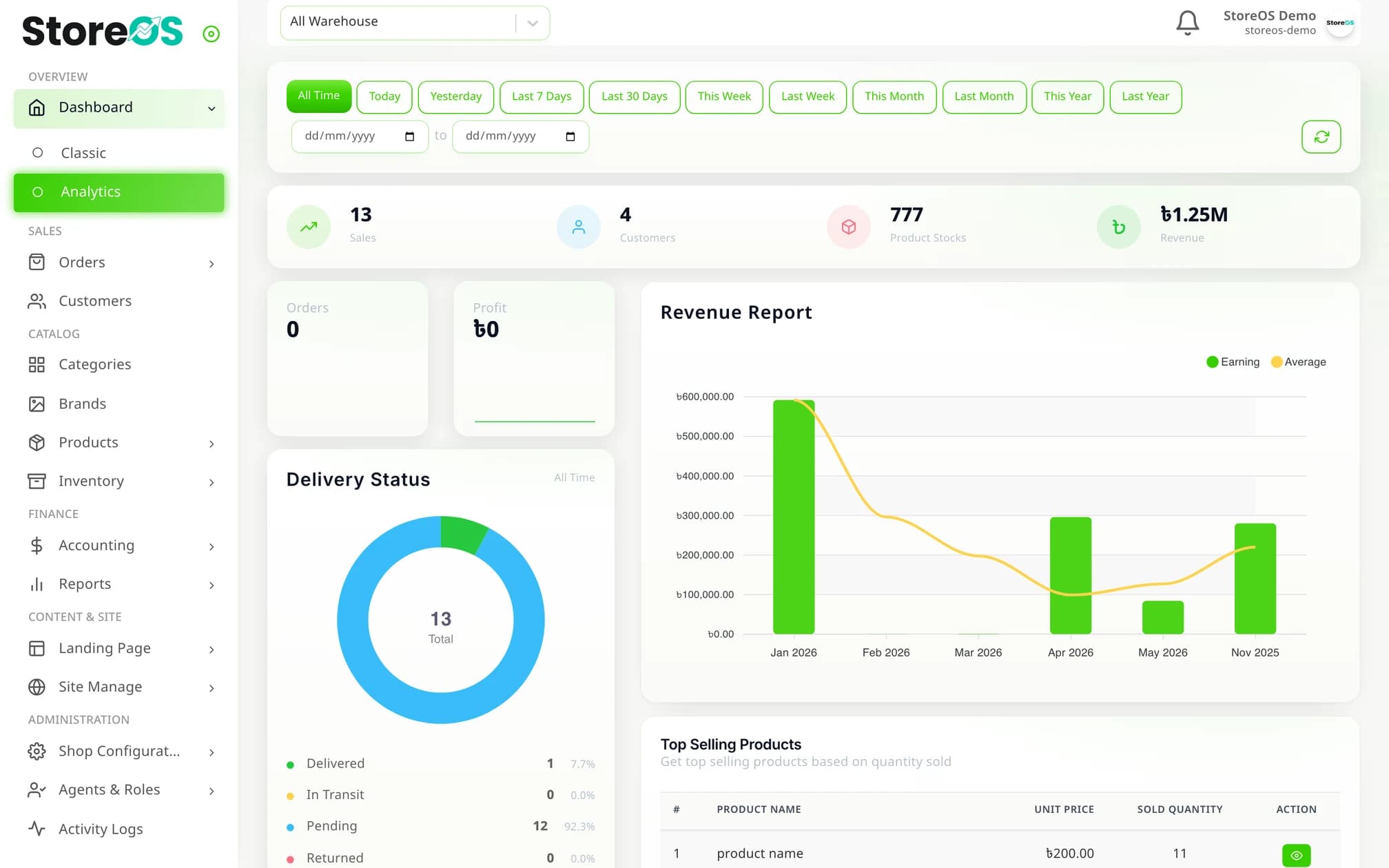
Four things an ordinary POS will not give you
The real problems of selling online — building pages, tracking ad spend, reconciling COD cash — are solved inside the product.
Write it in Bangla, get a landing page
Type “just the product photo, the price and an order form”. The AI returns a complete mobile-first page with your product, ৳ pricing and a name / mobile / address order form. Not right? Keep chatting until it is. Up to 200 pages a month.
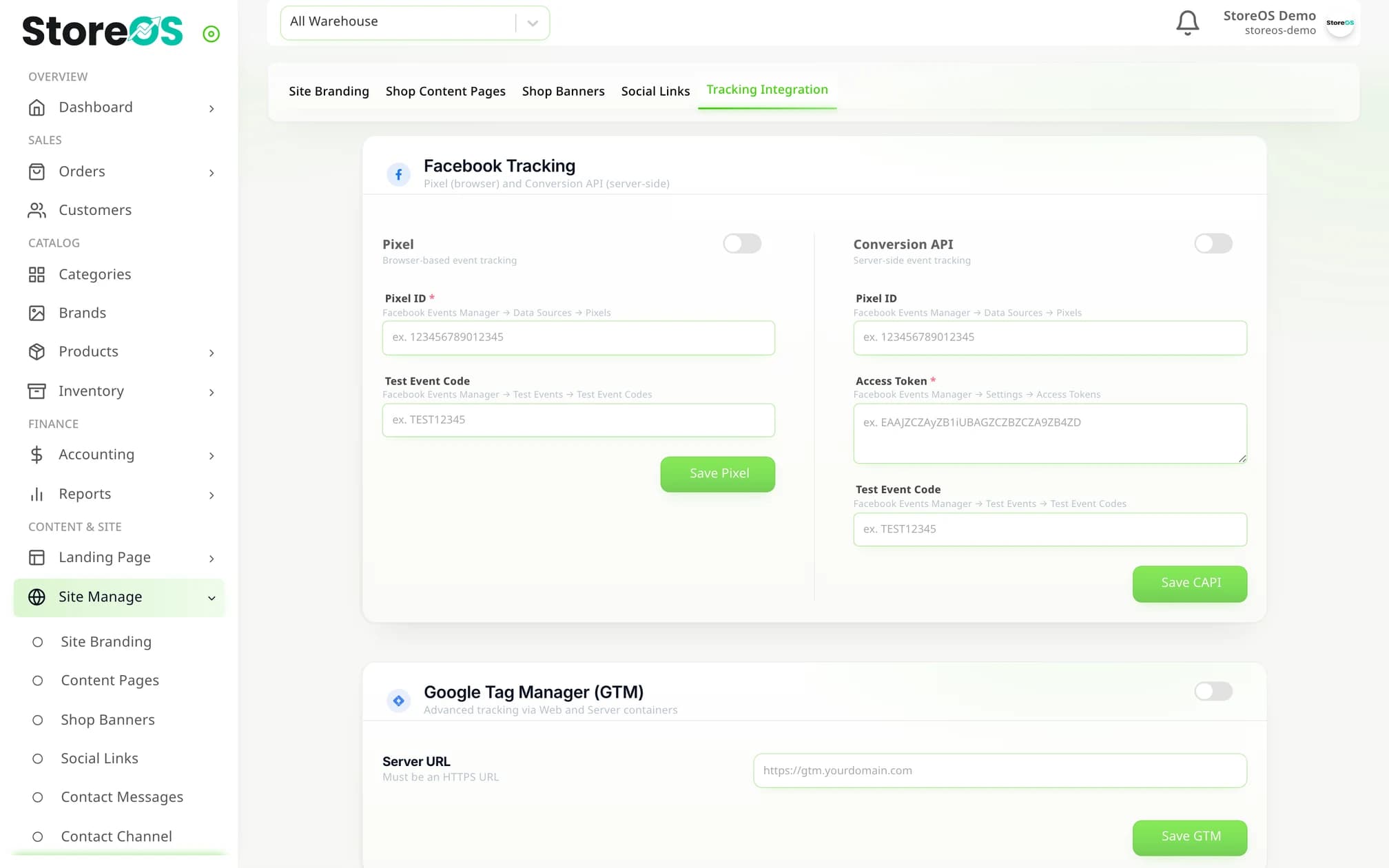
Server-side ad tracking that iOS cannot break
Meta Conversions API, GA4 and a GTM server container — switch each on and paste your own IDs. Events fire from the server, not the browser, so blocked cookies do not take your ad attribution with them.
COD cash reconciles itself
When the courier webhook says “delivered”, the system writes the collected amount, the courier charge and both sides of the ledger entry on its own. The cash drawer and the software stop disagreeing.
A finance department inside the shop panel
Not just reports — transactions, a separate physical cash book, categorised expenses, a refund workflow, and an audit log that records who changed what, when, and from which IP.
Phone, inbox or website — wherever the order comes from
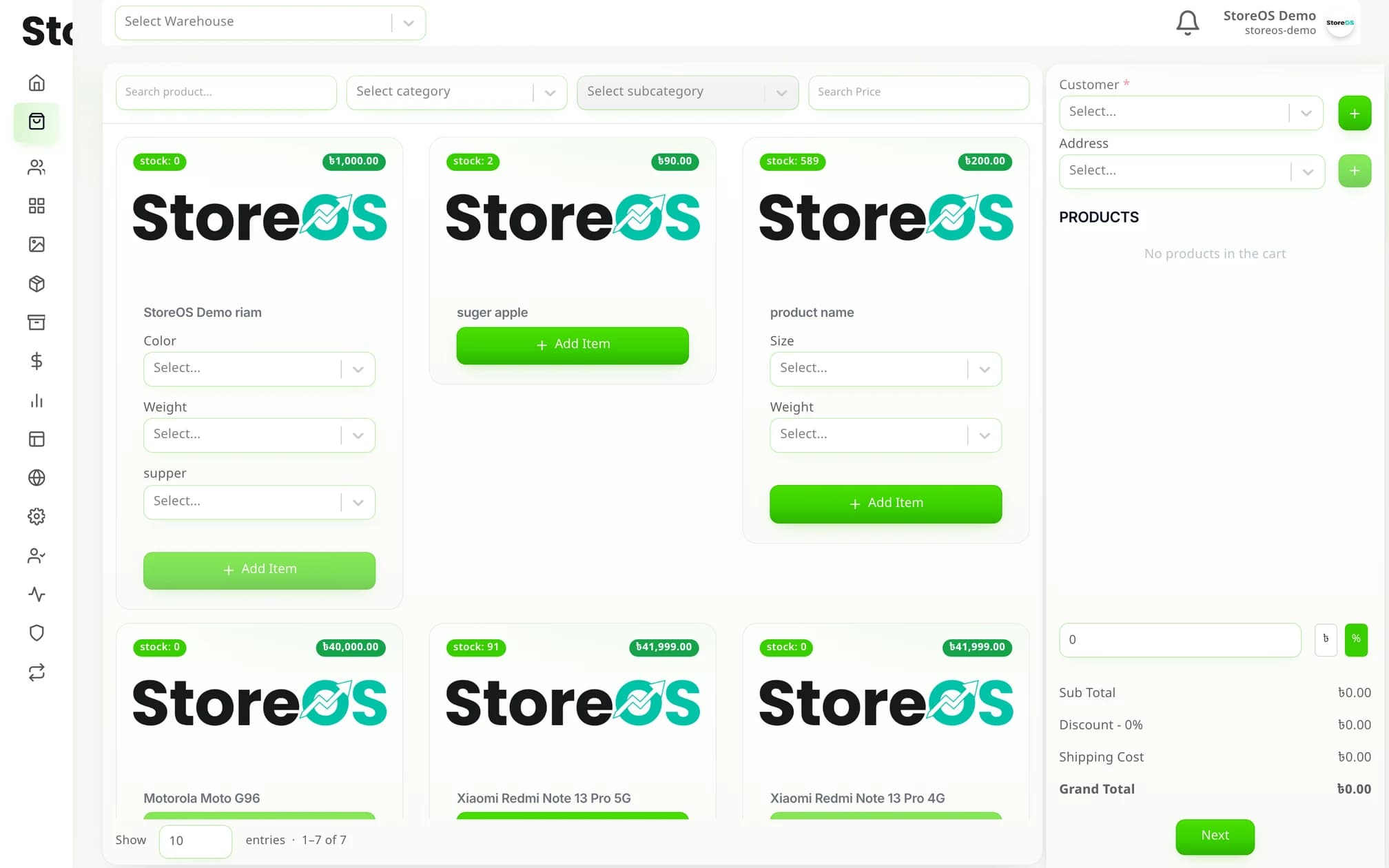
Search a customer by mobile number and create them on the spot if they are new. Discounts, delivery charge and totals on one screen.
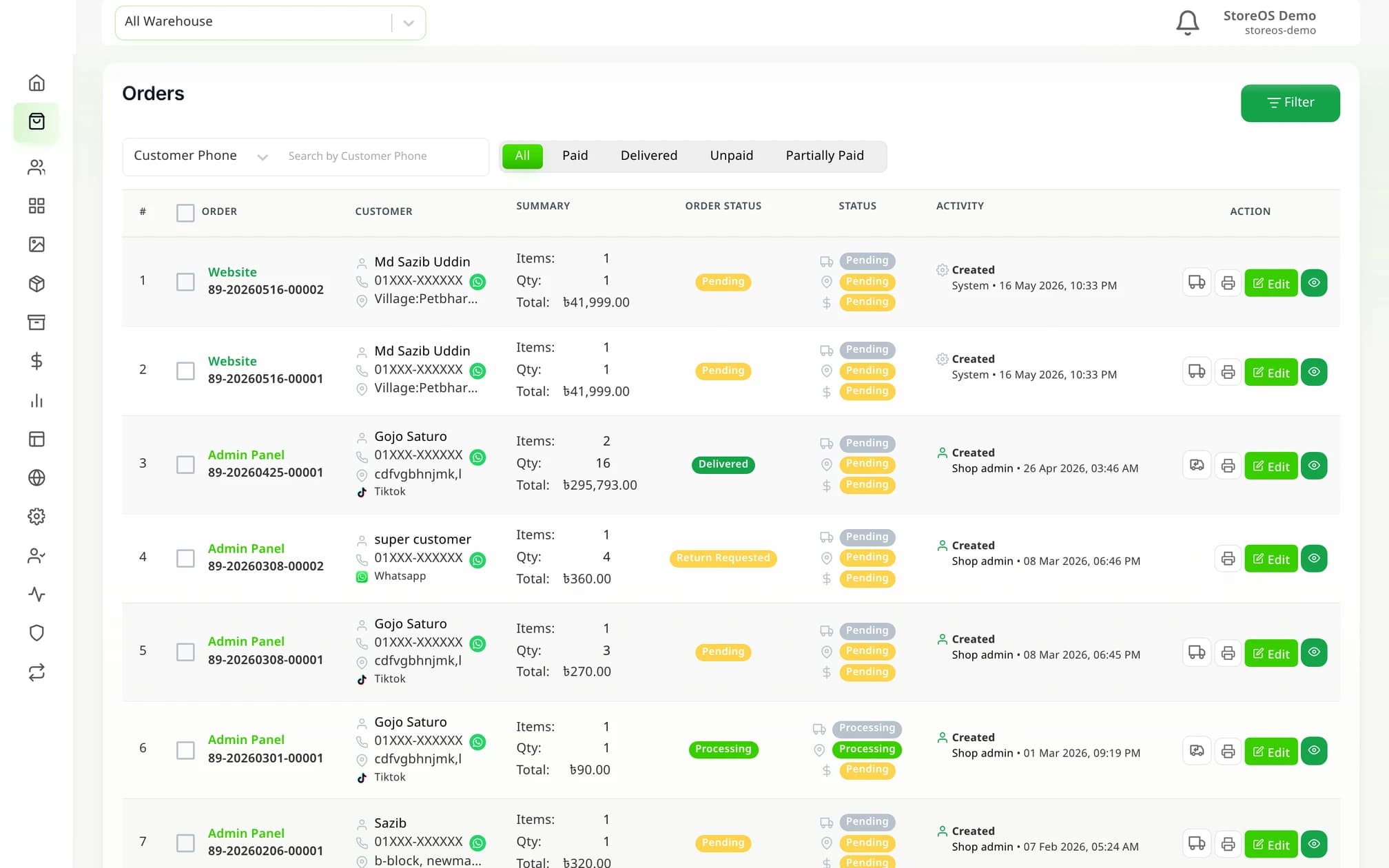
Manual order entry
Customer search by phone, variant-aware product picker, ৳ or % discount, preferred delivery date and saved addresses.
Order management
Paid / Delivered / Unpaid tabs, search by phone, name or product, and filters for status and date range.
Bulk courier dispatch
Tick the orders and send them all to Pathao or Steadfast at once — invoices download in bulk too.
Partial payments
Set an advance rule — a fixed amount or a percentage — and collect it through bKash.
Returns and refunds
A four-stage return flow that separates what came back from what did not, and routes returned stock to the warehouse you choose.
Invoice printing
A4 or thermal POS format, and multiple orders printed in one job.
Products, variants and more than one warehouse
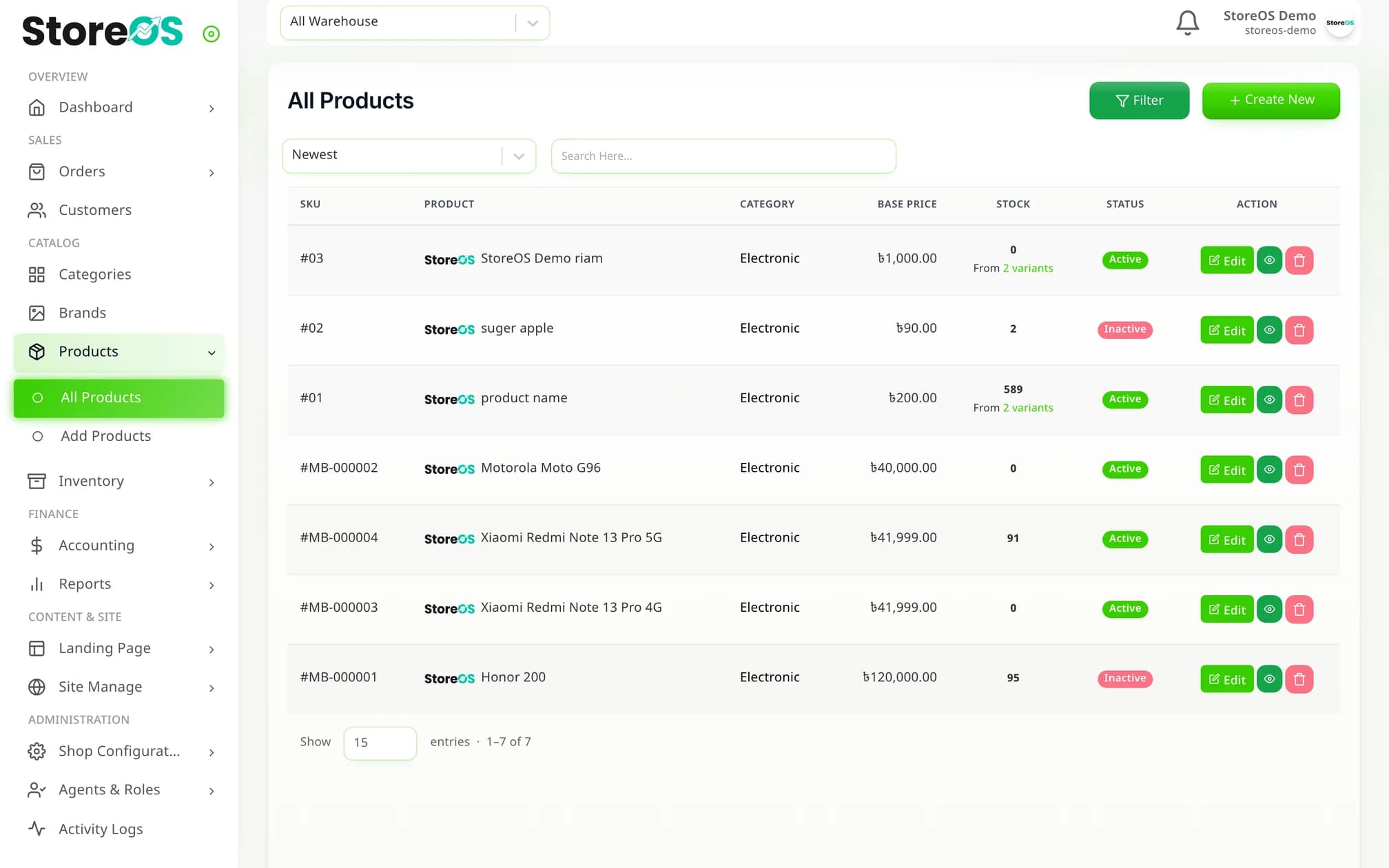
Size and colour variants, batches and expiry, damage write-offs — from a single shop up to several warehouses.
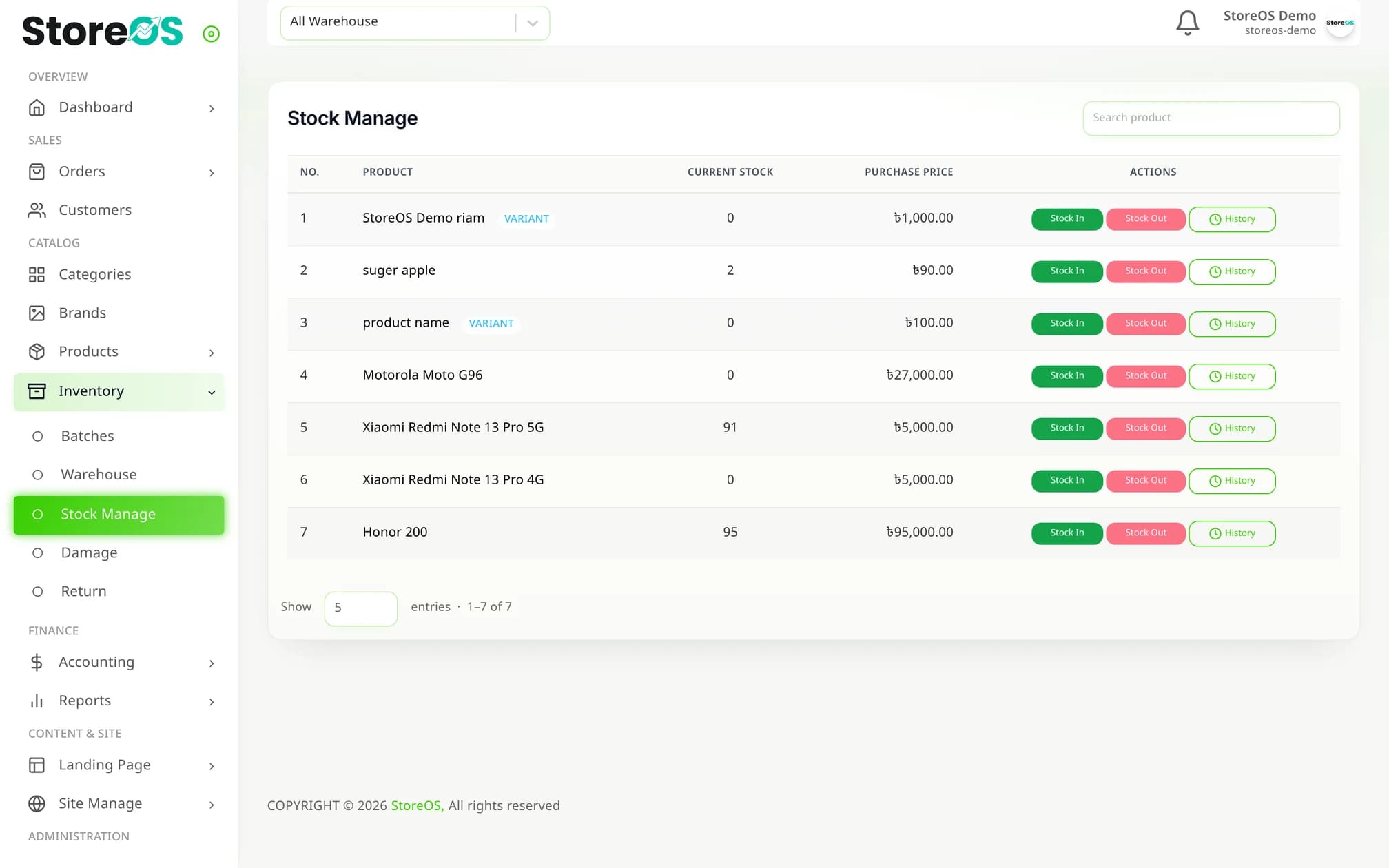
Products with variants
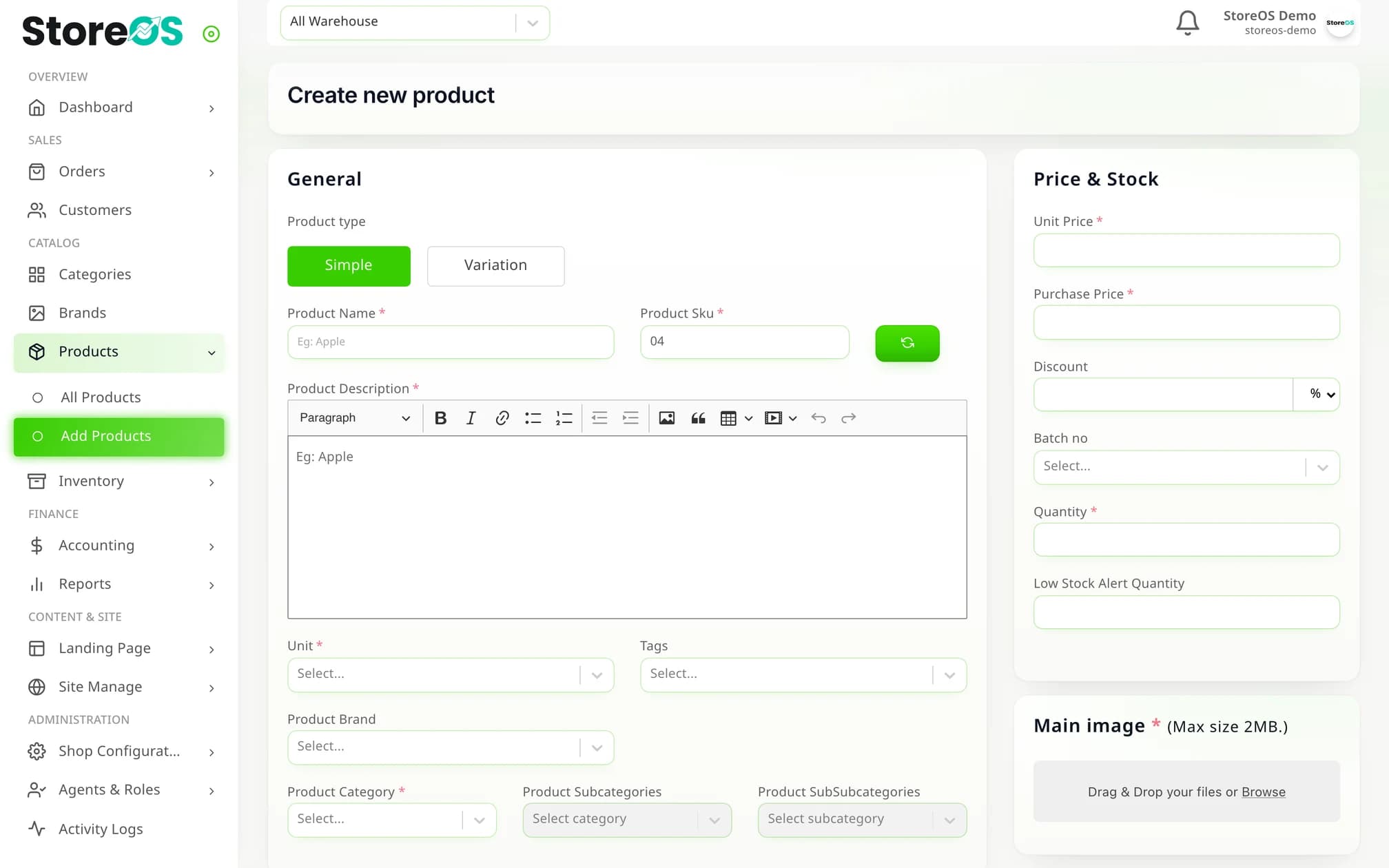
Size, colour or any attribute you define. Each variant carries its own SKU, price and stock.
Three-level categories
Category → sub-category → sub-sub-category, each with an SEO-friendly slug.
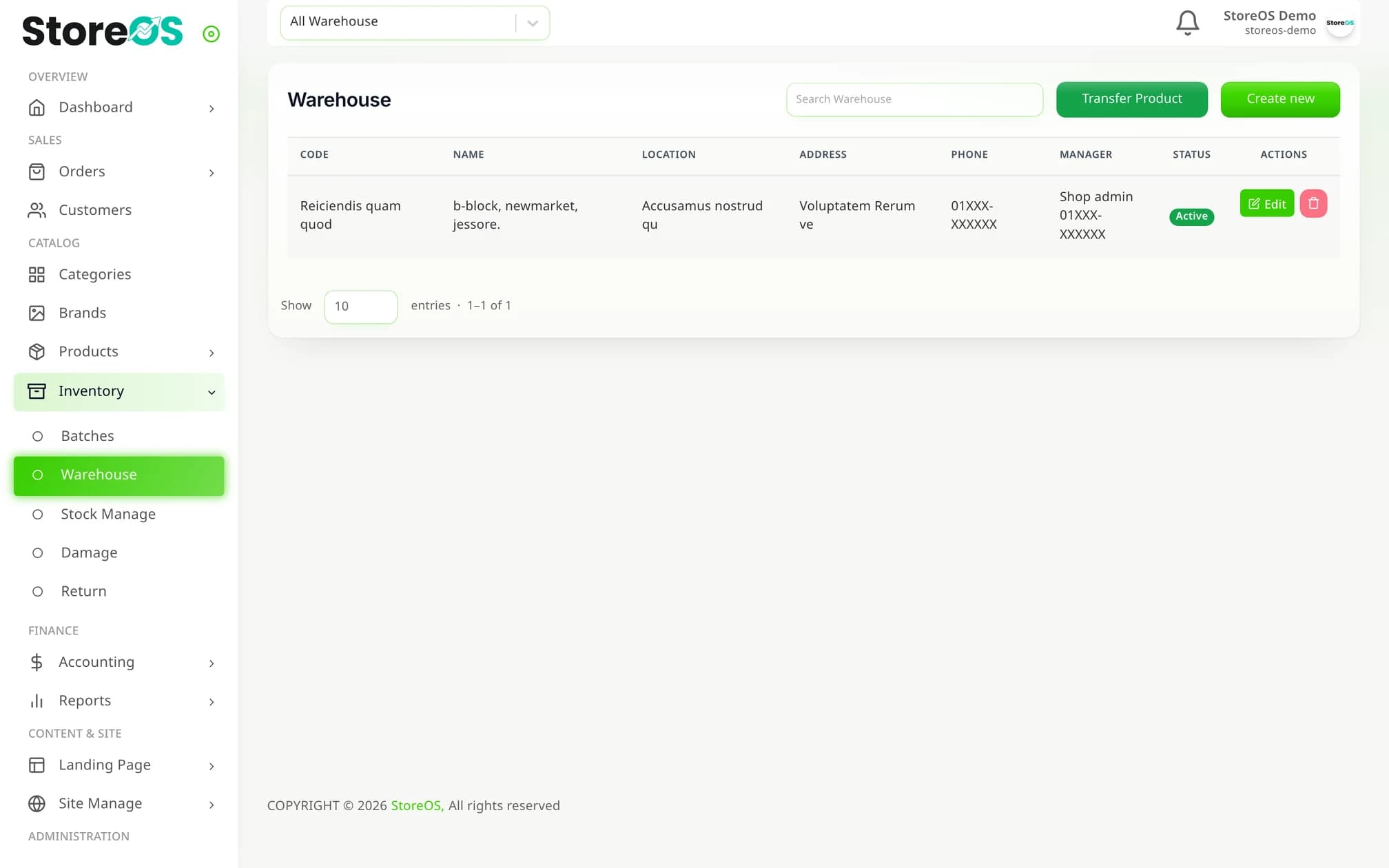
Multiple warehouses
Each with its own address and manager, and stock transfers between them.
Batches and expiry
Manufacturing and expiry dates per batch — for cosmetics, food or medicine.
Low-stock alerts
Set a separate alert threshold on every product and every variant.
Damage log
Record spoiled or lost stock with a reason, against a warehouse, batch and date.
Pathao and Steadfast — and the traffic runs both ways
Not just pushing orders out. When the courier changes a status, that lands back on your order and in your accounts by itself.
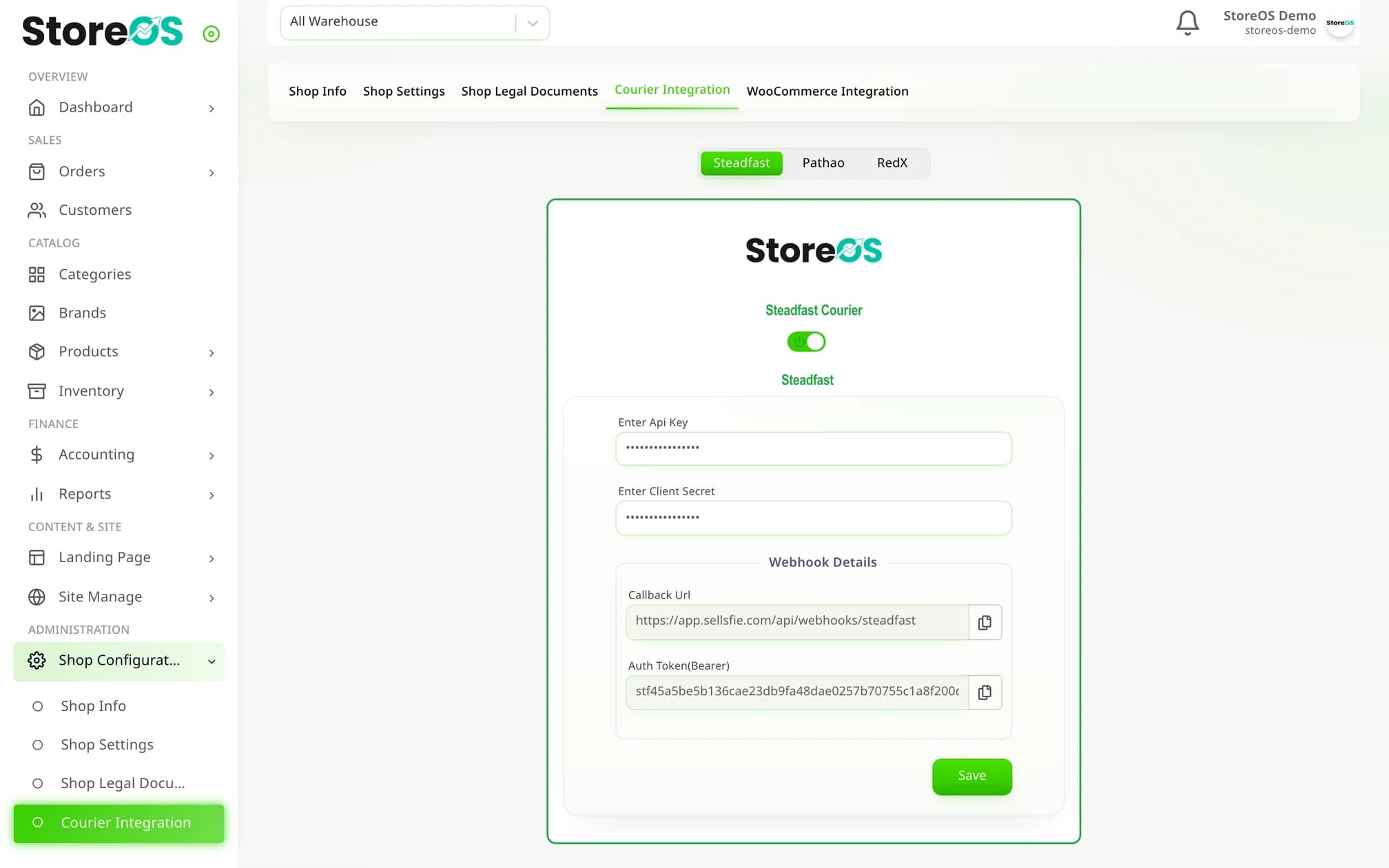
Connect your own account
Steadfast API key and secret, Pathao client id, secret and login — paste them into settings and you are connected.
City, zone and area
Pathao's own city-zone-area list loads directly, so addresses have far less room to go wrong.
Status updates by webhook
Copy the callback URL and secret into the courier portal and delivery status updates itself.
Consignment tracking
The courier's tracking ID is written onto the order, so nobody has to go hunting for it.
Success rate and balance
Check a customer's delivery success rate before dispatch, and your Steadfast balance from the same screen.
Inside / outside Dhaka charges
Set both delivery charges once; the landing-page checkout applies the same rule.
Not reports — an actual set of books
Profit calculated from real cost prices, plus a cash book, expenses, refunds and an audit trail.
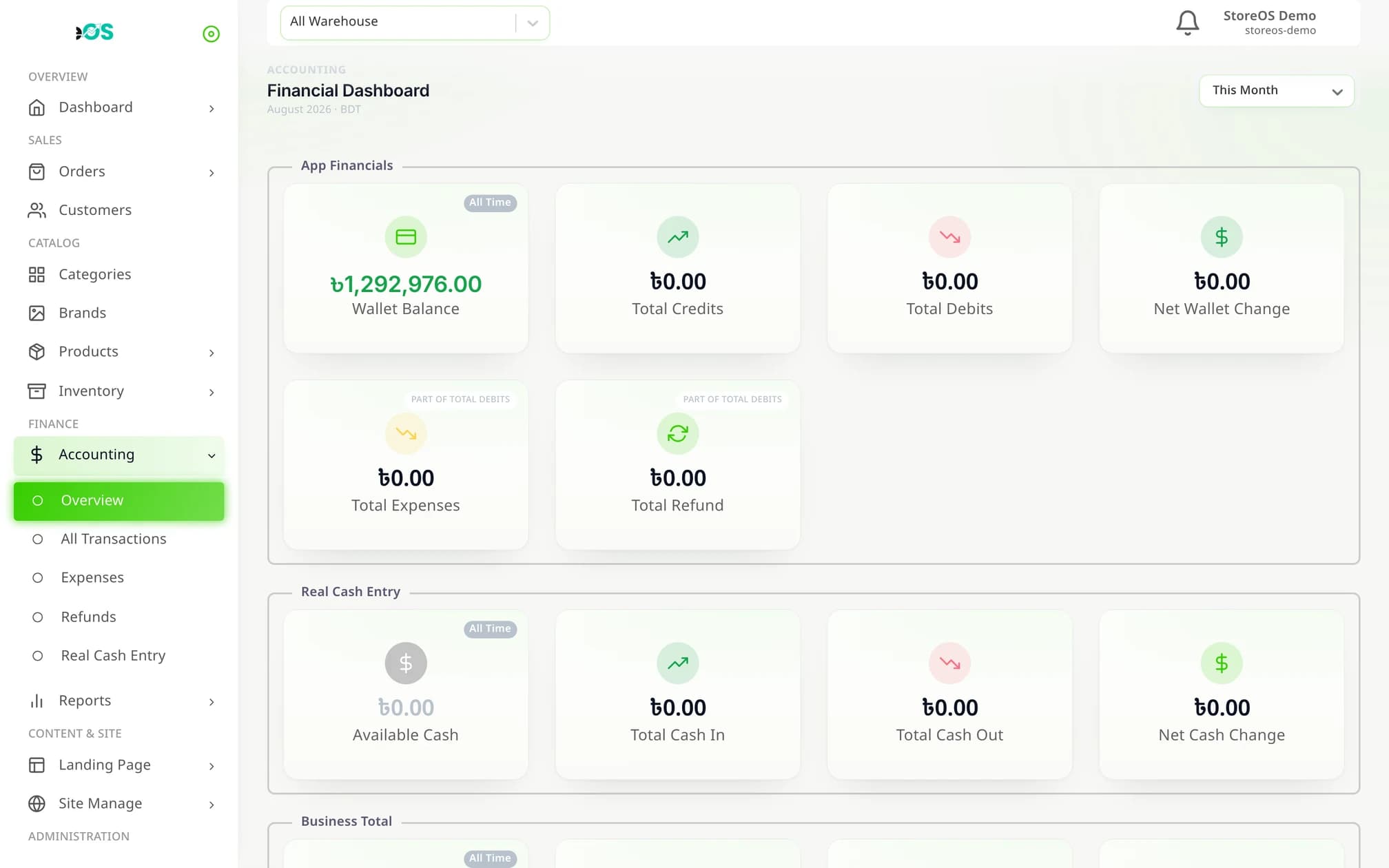
Accounting overview
Wallet, cash in hand, expenses, refunds and net profit — fourteen cards on one page.
Cash book
A separate ledger for the physical COD cash: cash in, cash out and a statement by day, week or month.
Expense categories
Courier, marketing, SMS, platform fees — eight built in, and you can add your own.
Sales report
Sales, dues, profit, product cost and discounts across eight cards and a dual-axis chart.
Stock report
What is in, out, sold, damaged — and what the stock on your shelves is worth right now, in ৳.
Product report
Profit and profit % per product and per variant, across twelve time-period presets.
One product list, three places to sell from
An online shop on your own domain, unlimited landing pages and manual orders — all drawing on the same stock.
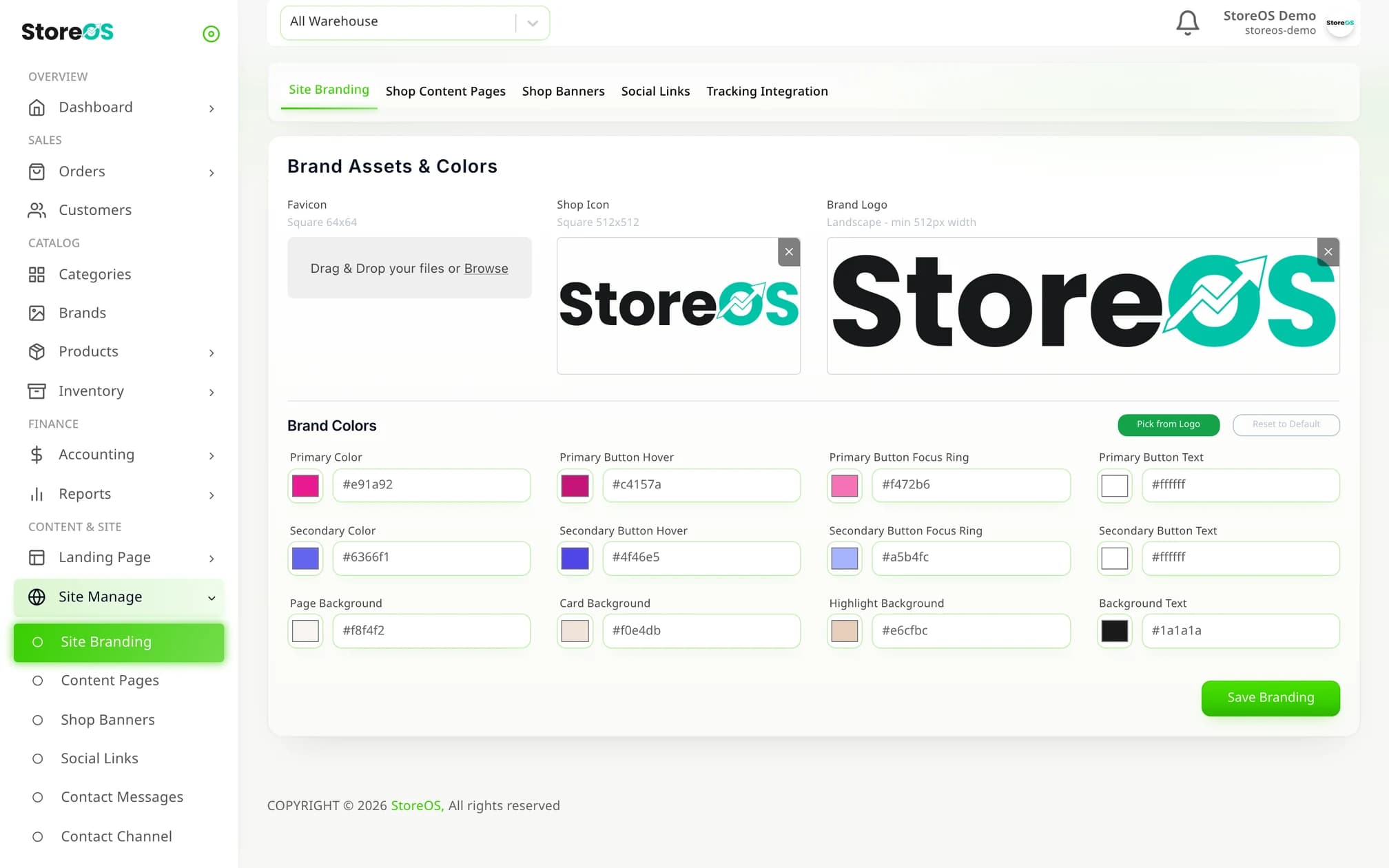
Your own online shop
Runs on your subdomain or your own domain, with two themes and seven brand colours you control.
Bangla and English storefront
Customers switch language themselves — 185 strings are translated into Bangla.
Order without signing up
Guest checkout with district and upazila dropdowns and coupon support. No account required.
Drag-and-drop page builder
Build landing pages without code — forms, countdowns, tabs and an image editor among fifteen tools.
Order tracking page
Customers check delivery status themselves with an order number and phone.
Banners and content pages
Reorder home-page banners by dragging, and write your own About, Privacy and Refund pages.
Give staff exactly as much as they need
“Packers can update delivery status but never see cost price” is a five-minute setting, not a compromise.
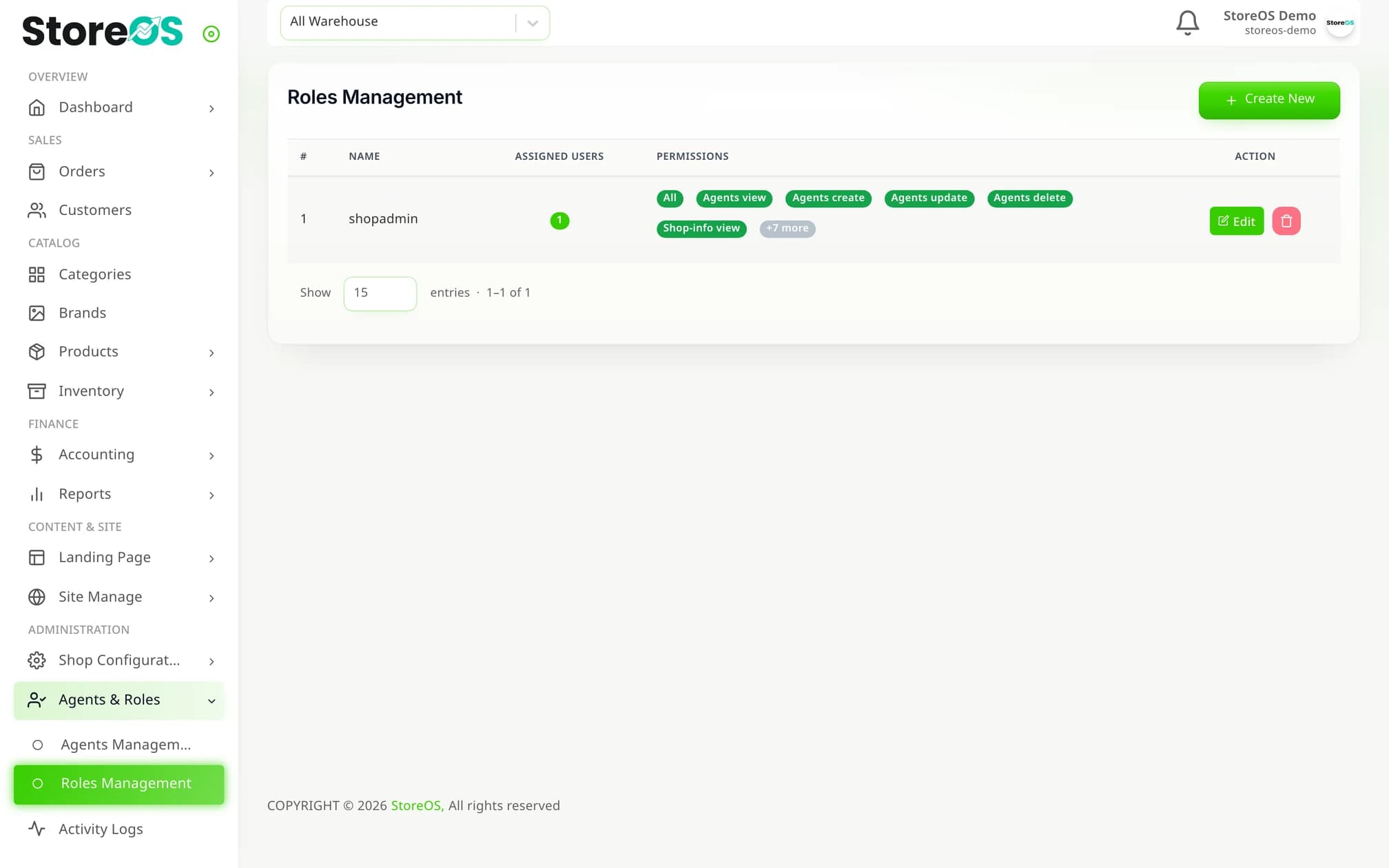
99 permissions
Organised into 37 groups. Toggle a whole group, or tick them one by one.
Roles you define
Cashier, packer, manager — as many as you like, and one person can hold several.
Staff accounts
Everyone logs in as themselves, so every action is attributable.
Audit log
Who changed what, when, and from which IP — with the before and after recorded in full.
Fraud management
Keep a list of the numbers that repeatedly cancel or return.
Customer tags
VIP, wholesale or lapsed — segment customers with tags.
Who Commerce 360 was built for
People selling online and running on cash on delivery — the product is shaped around that.
Facebook page businesses
Orders arrive in the inbox, go out by courier, come back as COD cash. The whole loop is here.
Online shops
Your own website, your own domain, your own brand colours — without a developer.
Retail shops
Counter sales and online sales from the same stock, reported separately.
Multi-warehouse businesses
Transfer stock between warehouses and report on each of them.
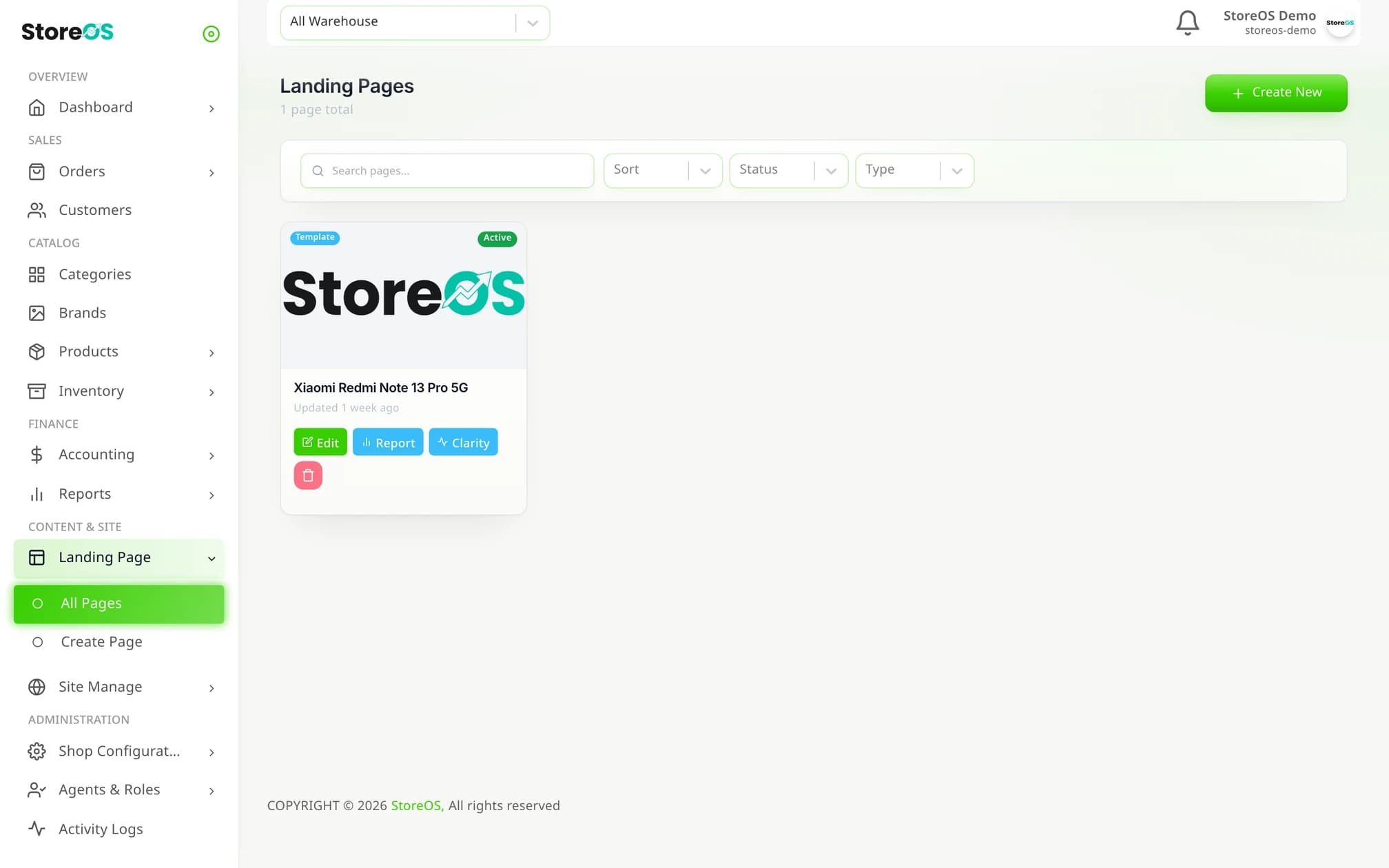
Real screenshots from the running system
No mockups.
Frequently asked questions
No — the inbox is not connected directly. When an order arrives in the inbox you enter it on the Manual Order screen by searching the mobile number; if the customer is new they are created automatically. From there courier, stock and accounting all run on their own.
See it with your own products
Book a call and we will walk the whole path — order to courier — using your own product list.